Product Catalogue
Your whole catalogue, ready before you are
This is where you decide what your practice sells. Curate the frame catalogue, set up lens options and add-ons, add your own products, and run the promotions that price them. It all comes pre-loaded, so shaping it to your practice is the only setup there is.
Book a demo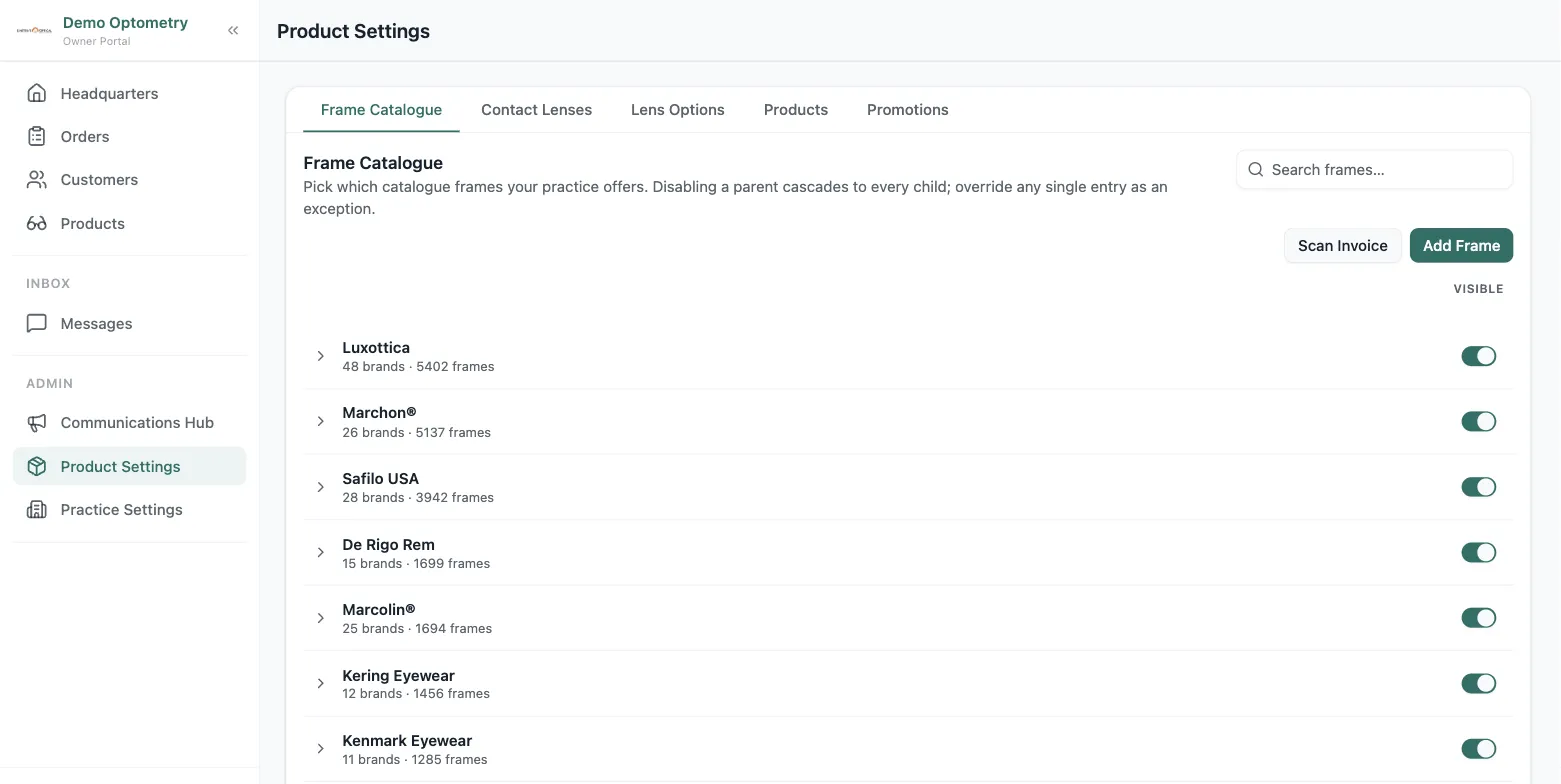
Frames
Over 850,000 frames come pre-loaded and refresh every night. Decide what your practice sells: switch off a whole manufacturer, a brand, or a single frame.
ExploreCustom Products
Sell anything else your practice offers. Build your own categories and add products with variants, like cases in every colour or cleaning spray in every size.
ExplorePromotions
Set up automated discounts, whether percentage, dollar, or buy-X-save-Y, scoped to a category, a manufacturer, or a single product, and time-bound or always on.
ExploreLens options
Lenses, tints and add-ons, priced your way
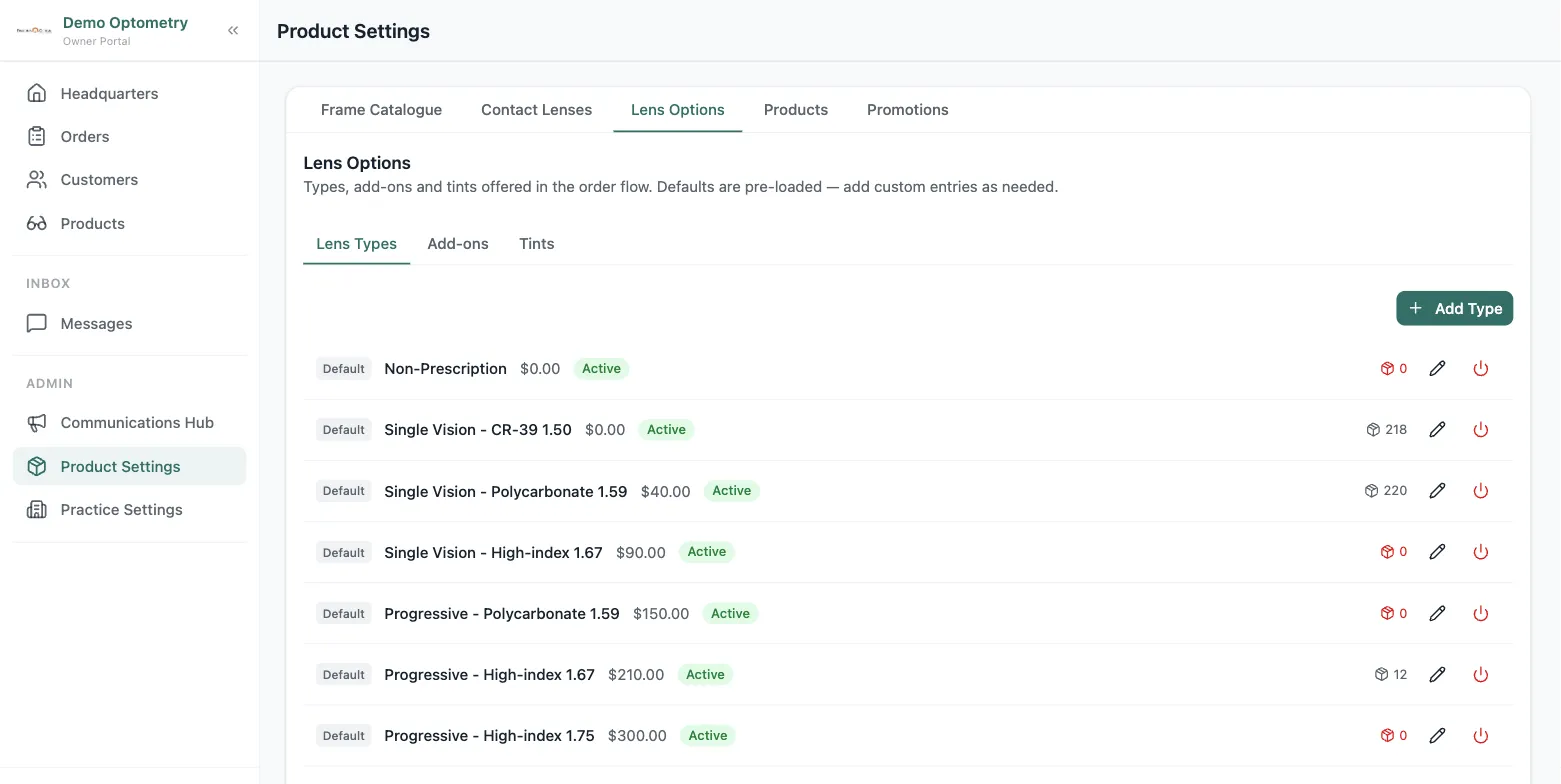
Configure the lens types, tints, and add-ons your practice offers, each with its own price. When your team builds an order, they choose from exactly what you've set up, and promotions apply to it automatically.
Frequently asked questions
What is optical product catalogue software?
It's the part of a practice-management system that holds everything you sell (frames, lenses, and custom products) with pricing, inventory, and search. Lume ships with 850,000+ frames pre-loaded so you can sell on day one, then lets you add your own products on top.
Does Lume track inventory across multiple locations?
Yes. Inventory is multi-location by default. Every product, frame, and custom item tracks stock per location, so each shop sees its own counts while owners see the whole group.
Can I control which brands and frames my staff can sell?
Yes. Owners can enable or disable a whole manufacturer, a single brand under it, or one specific frame, so your catalogue only shows what you actually carry.