Customer Management
Customer profiles built for opticians
Name, address, and contact details are just the start. A Lume profile carries the customer's prescriptions, insurance, orders, and every message you've sent them, so any team member at any location can pick up the relationship right where it left off.
Book a demoThe profile
The whole relationship on one page
Contact details, insurance, prescriptions, orders, messages: everything your practice knows about a customer sits on one profile. Whoever is at the counter sees the same complete picture, at any location.
Prescriptions
Scan it, upload it, or type it in
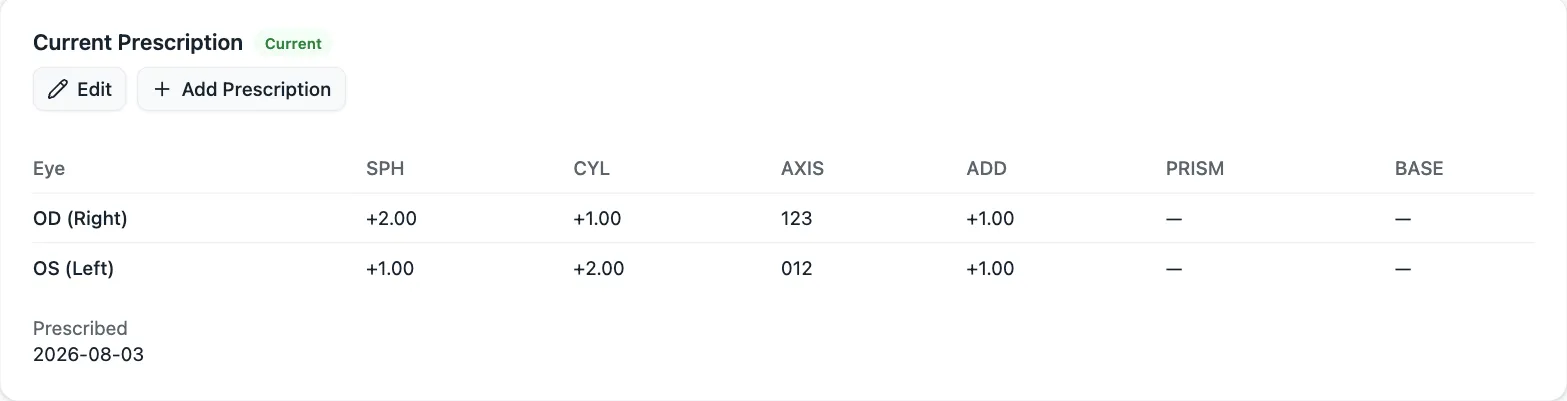
Capture a prescription however it arrives: scan the paper with your camera, upload a photo, or enter it by hand. Every Rx saves to the profile, labelled and dated, so the full history is right there the next time the customer is picking frames.
Communication consent
CASL consent, captured as you work
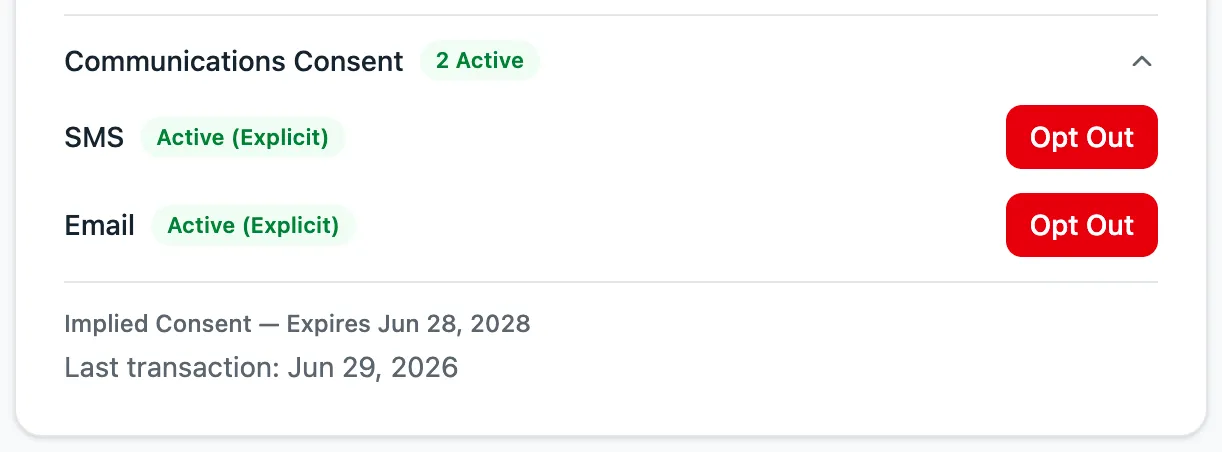
Lume records consent the way CASL actually defines it: implied consent from the customer's interactions with your business, and explicit consent from a simple flag on their profile. When you send a message, you already know you are allowed to.
The full record
Insurance, orders, and messages on file
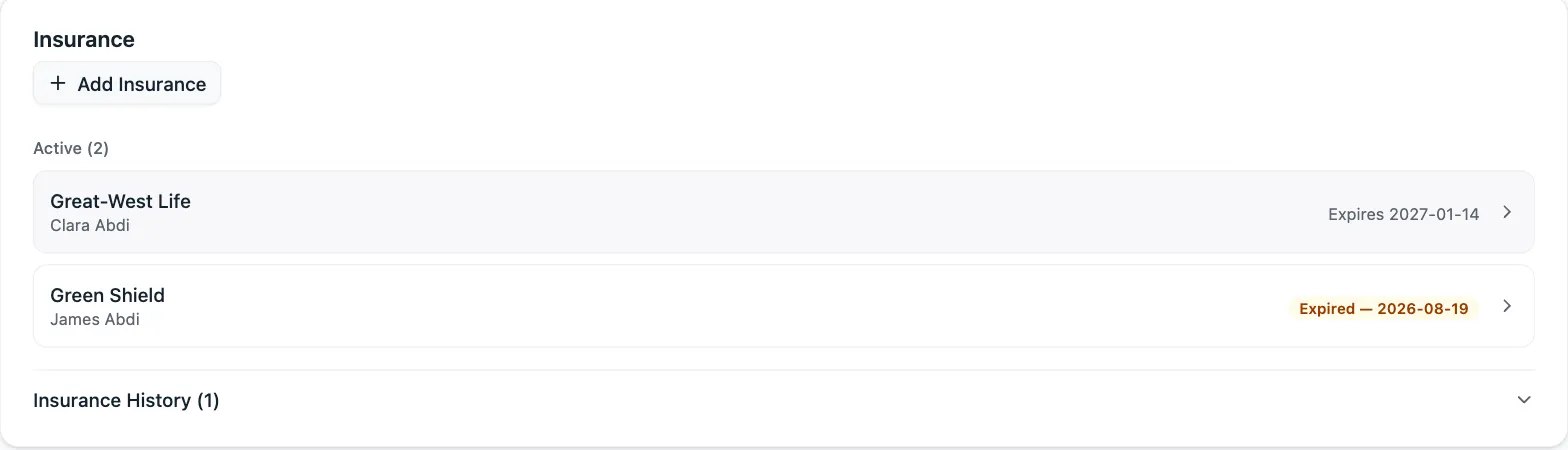
Insurance details sit on the profile, ready when you quote. Order history shows everything the customer has bought and where each order stands. Communication history shows every reminder and message the practice has sent, and who sent it.
History & notes
Every change tracked, every note kept
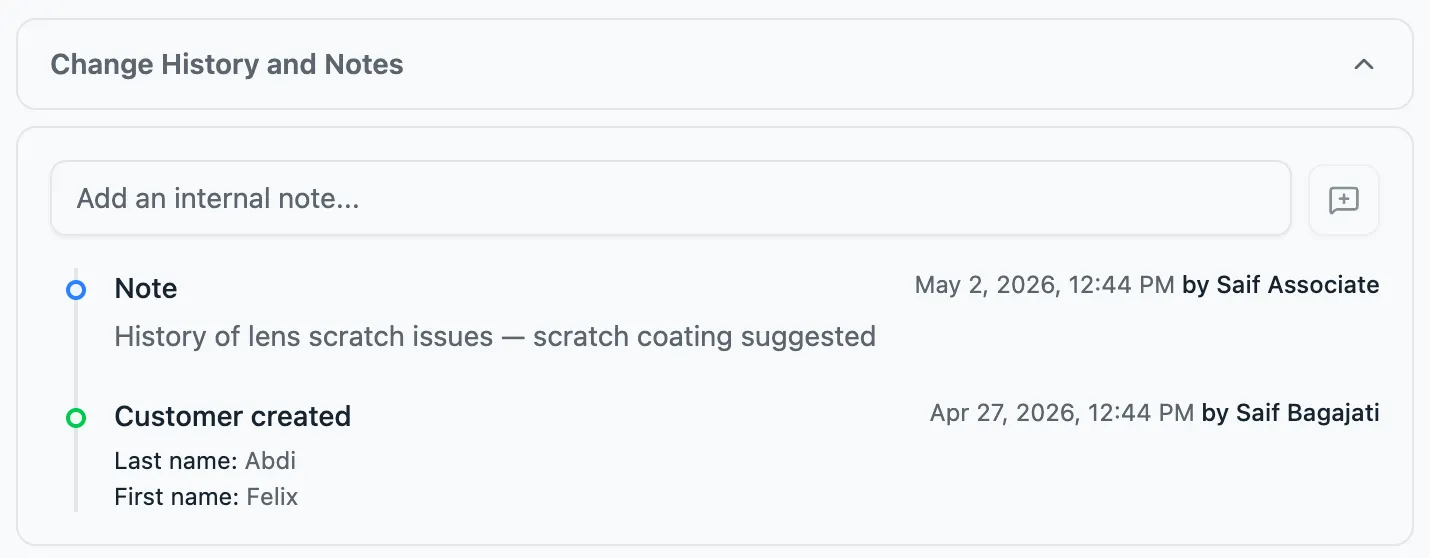
Edit anything on a profile and Lume records what changed, who changed it, and when. Add notes wherever context helps, like a fitting preference or a conversation worth remembering. Six months later, you will know exactly what happened and why.
Frequently asked questions
What is optical patient management software?
It's the customer side of a practice-management system: one profile per customer holding contact details, prescriptions, insurance, orders, and communication. In Lume, that profile is built for opticians rather than adapted from a generic CRM.
How do I add a prescription to a customer's profile?
Three ways: scan the paper Rx with a camera, upload a photo, or enter it manually. Each prescription saves to the profile with a label, and the full history stays available as new ones come in.
How does Lume handle CASL consent?
Lume records both kinds CASL recognises: implied consent from a customer's interactions with your business, and explicit consent from a flag on their profile. You always know whether you can message someone before you do.
Does Lume track changes to customer profiles?
Yes. Every edit records what changed, who made it, and when. You can also add free-form notes to a profile, so context lives alongside the record.