Products
Find it, check it, sell it
The Products area is where your team works the catalogue day to day: look up any frame or product, check what's in stock at every location, and keep counts accurate, all without leaving the floor.
Book a demo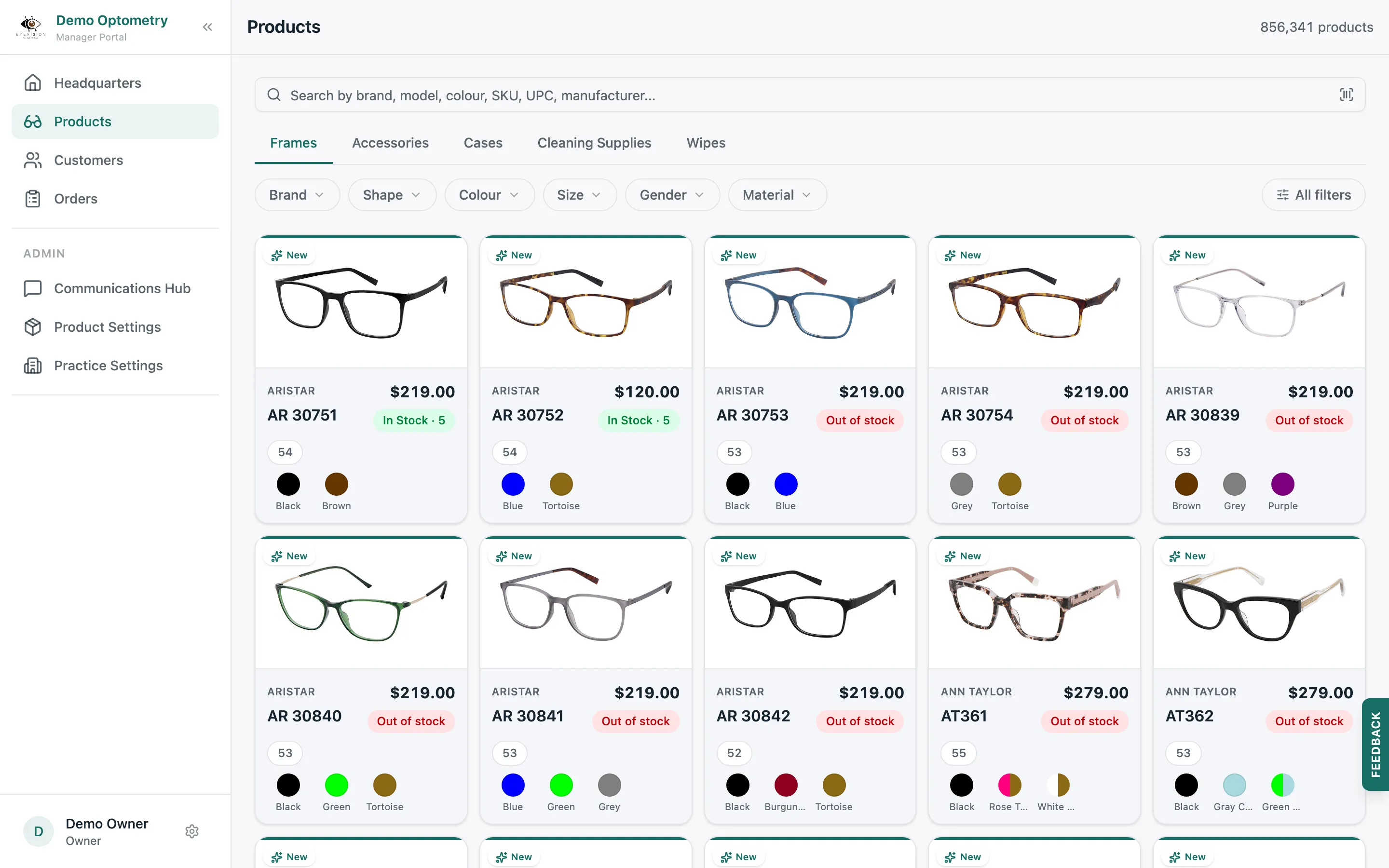
Search & filter
Smart, Fast Search
Search by anything on the product: brand, model, colour, SKU, UPC, or manufacturer. Then narrow with filters like shape, size, gender, and material until the right frame is the only one left.

Product details
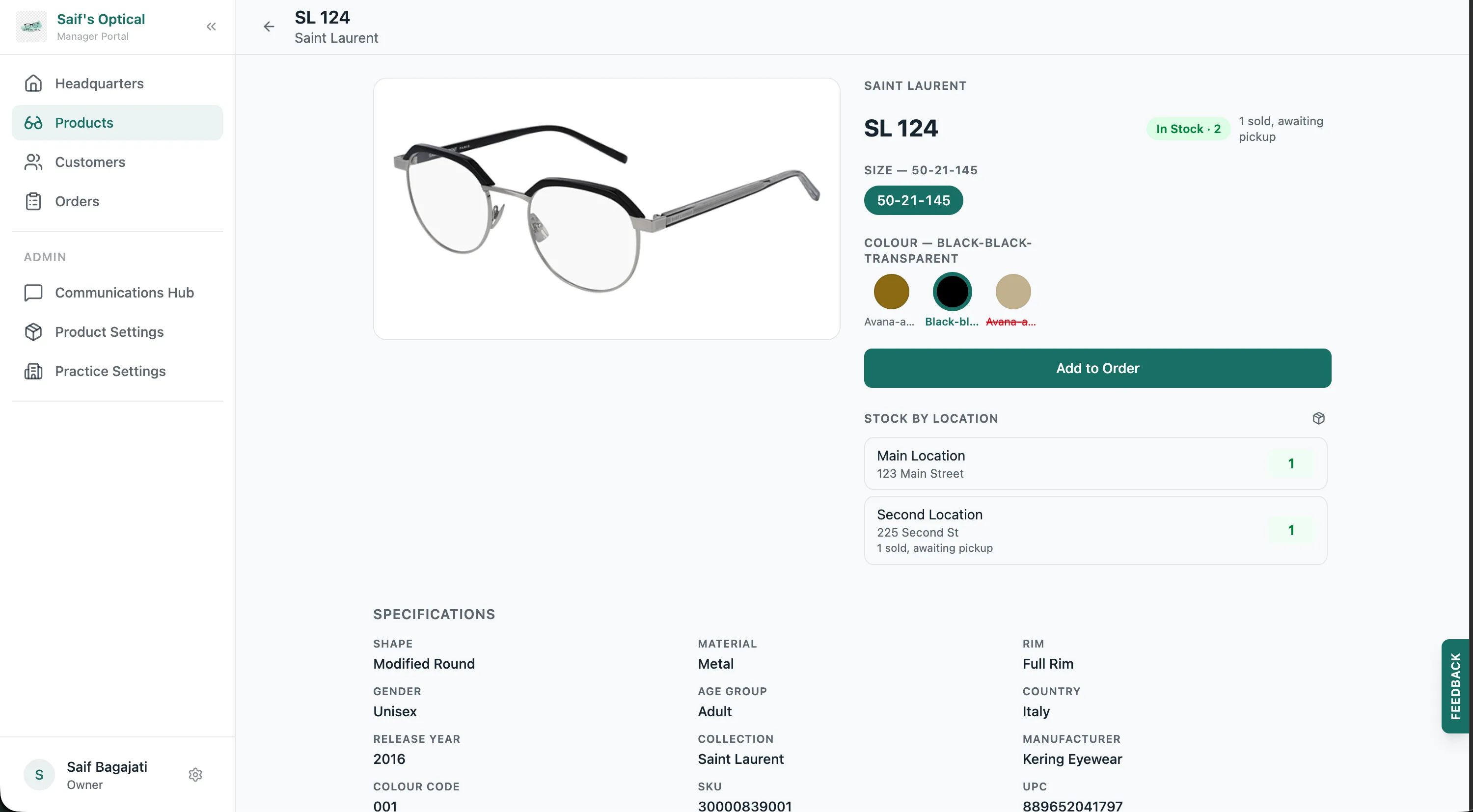
Every answer before the customer asks
Open any product to see its variants, colours and sizes, pricing, and live stock at each location. Your team answers questions at the counter instead of checking the back room.
Inventory
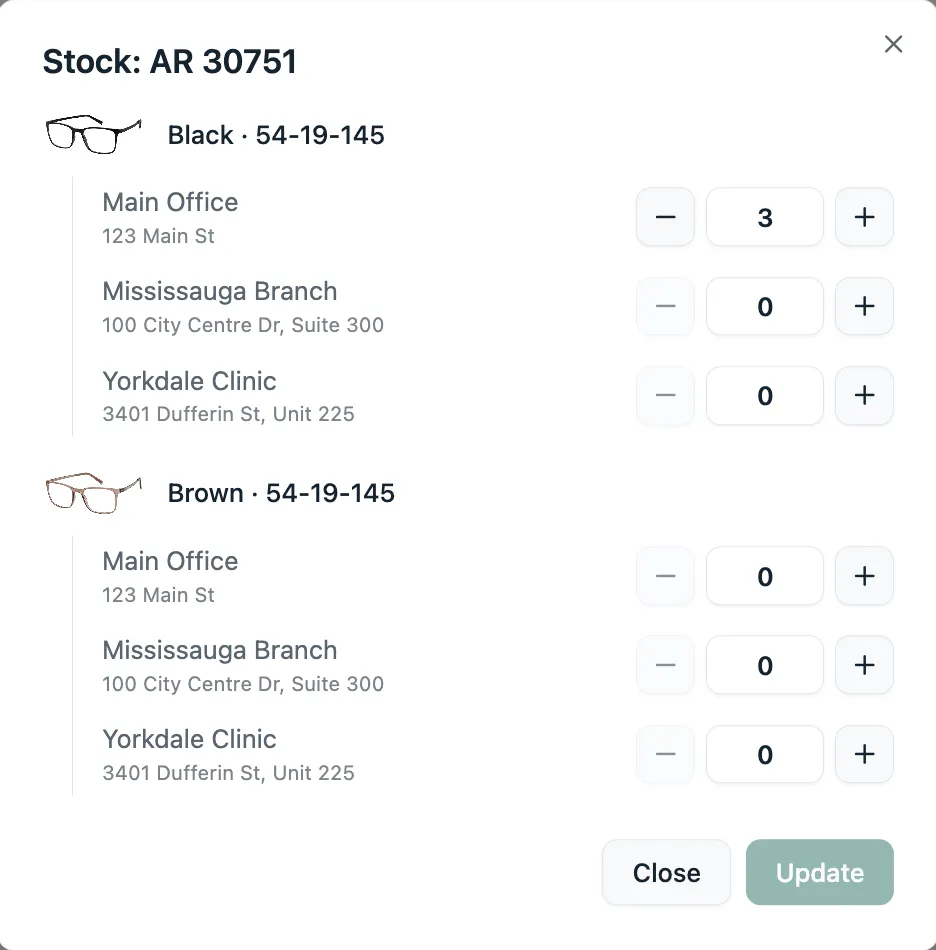
Check stock anywhere, update it in seconds
When a frame is out at your shop, any team member can see what's on hand at every other location and offer to hold, transfer, or order it while the customer is still there. Counts are just as easy to keep right: set on-hand stock per variant, per location, right from the product.
Frequently asked questions
Can associates search and filter the catalogue?
Yes. Search by brand, model, colour, SKU, UPC, or manufacturer, then narrow with filters like shape, size, gender, and material to land on the right product in seconds.
Can my team see stock at other locations?
Yes. Every product shows live on-hand counts for each location, so an associate can offer to hold, transfer, or order a frame from another shop while the customer is still at the counter.
Can associates update inventory?
Yes. On-hand counts are set per variant, per location, right from the product, so stock stays accurate without a separate stocktake.
Do associates see products the practice doesn't carry?
No. Owners curate the catalogue in the Product Catalogue settings, and anything switched off disappears from the team's search results.