Quotes & Orders
Every sale starts here
The order is where every sale comes together, so Lume made it the fastest, most flexible part of your day. Start one from anywhere, build it without leaving the page, and follow it from quote to dispensed, across every location.
Book a demo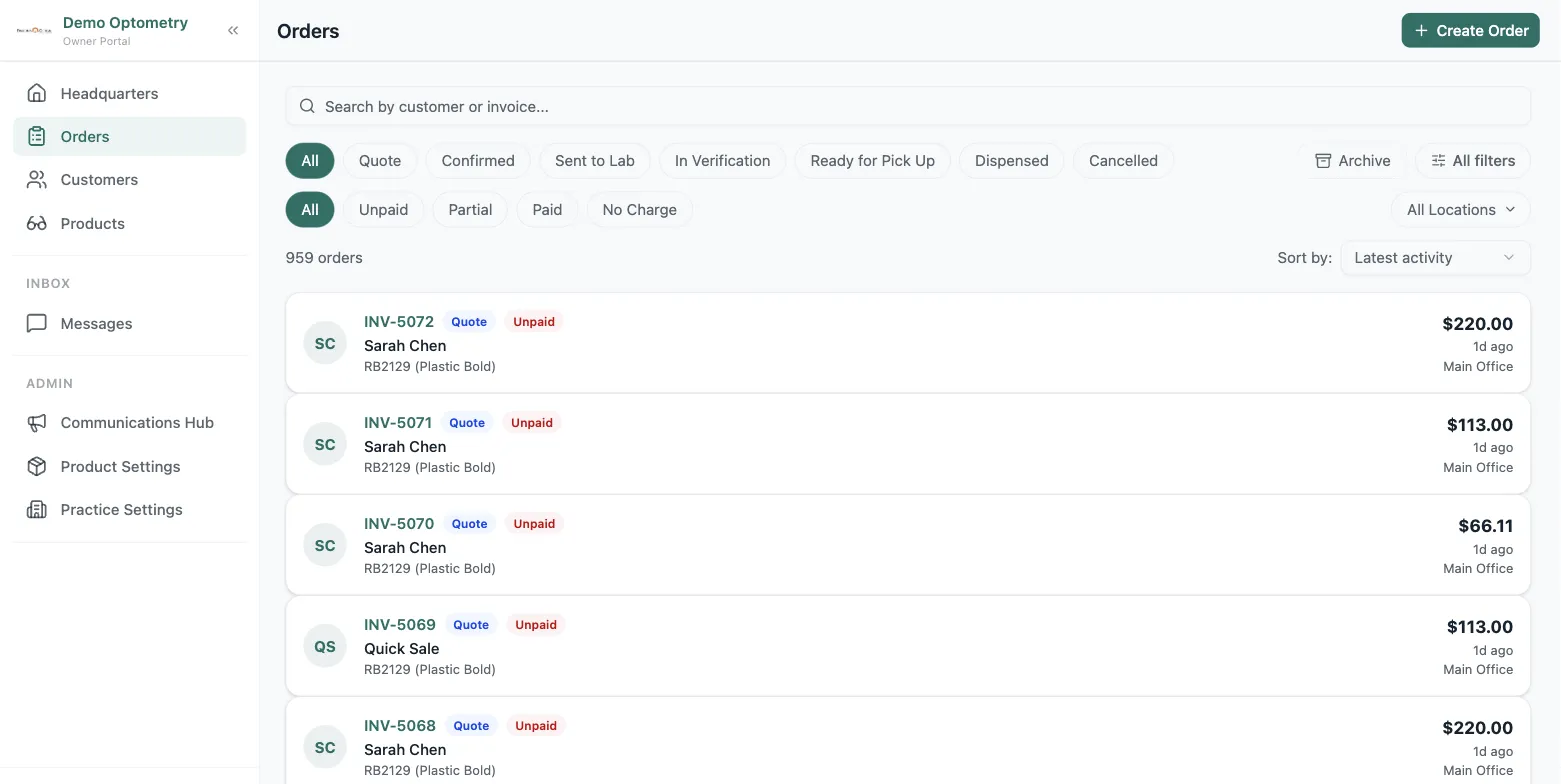
Start from anywhere
Three ways into a new order
From Orders
Create a blank order and build it from scratch.
From a Product
Viewing a product in the catalogue? Start an order and it drops in as the first line item.
From a Customer
Start an order from a customer's profile and it opens with their contact details and Rx history attached.
Everything in one place
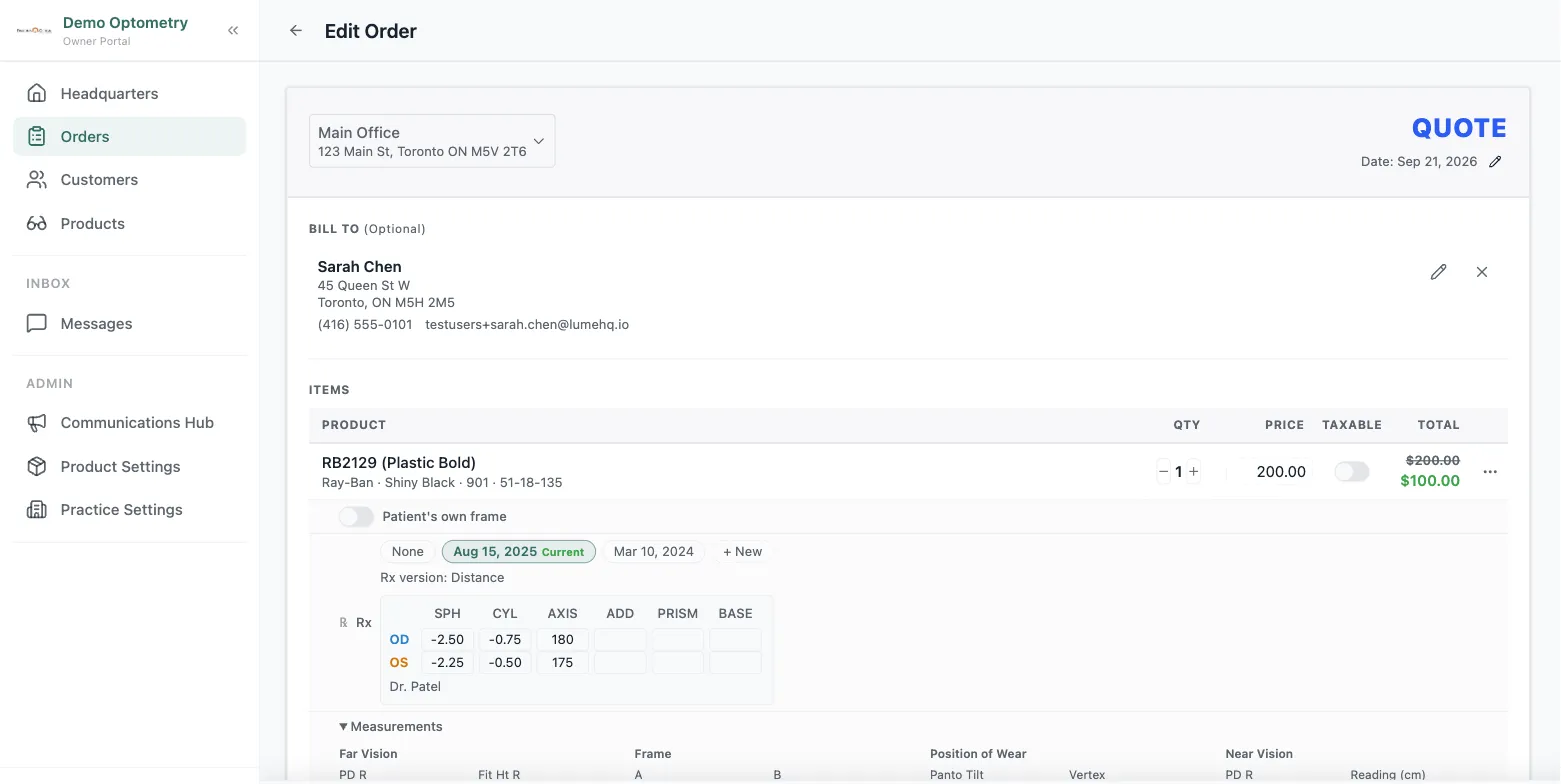
Build the whole order without leaving it
Type a customer's name and existing customers surface instantly, or add a brand-new one inline. Products work the same way: pull from the catalogue, add a new one on the fly, or free-type without saving. It all happens right on the order.
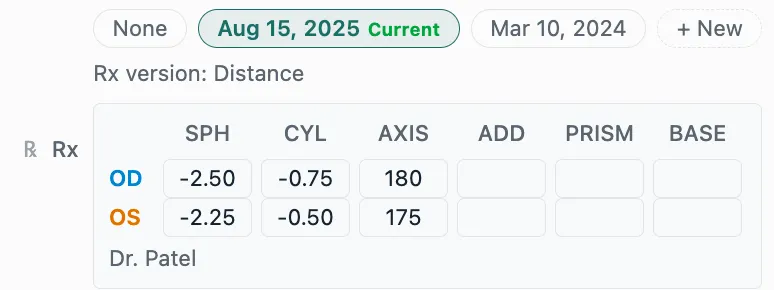
Prescriptions
The right Rx, attached in seconds
Adding a frame prompts the prescription. Pull one from the customer's history, or add a new one that saves to both the order and their profile, labelled and captured however you like. You never re-key it or lose it.
Measurements
Easily attach measurements
Capture far vision, near vision, position of wear, and frame data. Lume pre-fills whatever it already knows and leaves the rest to you, so it's accurate where it counts and fast everywhere else.

Lenses & add-ons
Price it the way you sell it
Choose lens type, tint, and add-ons line by line, and any promotion you've set up applies on its own, without discount codes or manual maths. The quote stays accurate and ready to send.

The order lifecycle
From quote to dispensed, always clear
Every order carries two statuses: where it is in the flow, and where it stands on payment. Anyone on the team can tell what happens next at a glance.
Quote
Price given, not yet committed
Confirmed
Customer agreed, manually or on payment
Sent to Lab
Job is with the lab
In Verification
Order back, being checked
Ready for Pickup
Passed verification
Dispensed
Customer collected
Share it your way
Download the order as a PDF, email it to the customer, or print it. The customer's copy shows what they need, while internal details like measurements stay private.
History & notes on everything
Every order keeps full notes and a history of who changed what and when. The same audit trail runs on customer records, so nothing slips through.
Frequently asked questions
What is eyewear order management software?
It's the system that runs every optical sale from first quote to final dispense. It captures the customer, products, prescription, and lens choices, then tracks the order's status through the lab and pickup. In Lume, the order is where the whole sale lives.
How do I start an order in Lume?
From anywhere. Create a blank order from the Orders area, start from a product so it opens pre-loaded, or open a customer's profile and start a new order there to pre-fill their details. Whatever's fastest in the moment.
Can I add a new customer or product without leaving the order?
Yes. Search as you type to find existing customers and catalogue products, add brand-new ones inline, or free-type a name without saving. The order never makes you leave to go set something up.
What are the order statuses?
Quote, Confirmed, Sent to Lab, In Verification, Ready for Pickup, and Dispensed. There's also a Cancelled state you can reach from anywhere. A separate payment status tracks partial and full payments, and recording a payment automatically moves the order from Quote to Confirmed.
Does order management work across multiple locations?
Yes. Orders are multi-location by default, so every shop works from the same system and owners see activity across the whole practice.