Back to what's new
New
Price a whole brand at once
The Product Catalogue now supports per-brand pricing, with overrides for individual frames and variants when you need them.
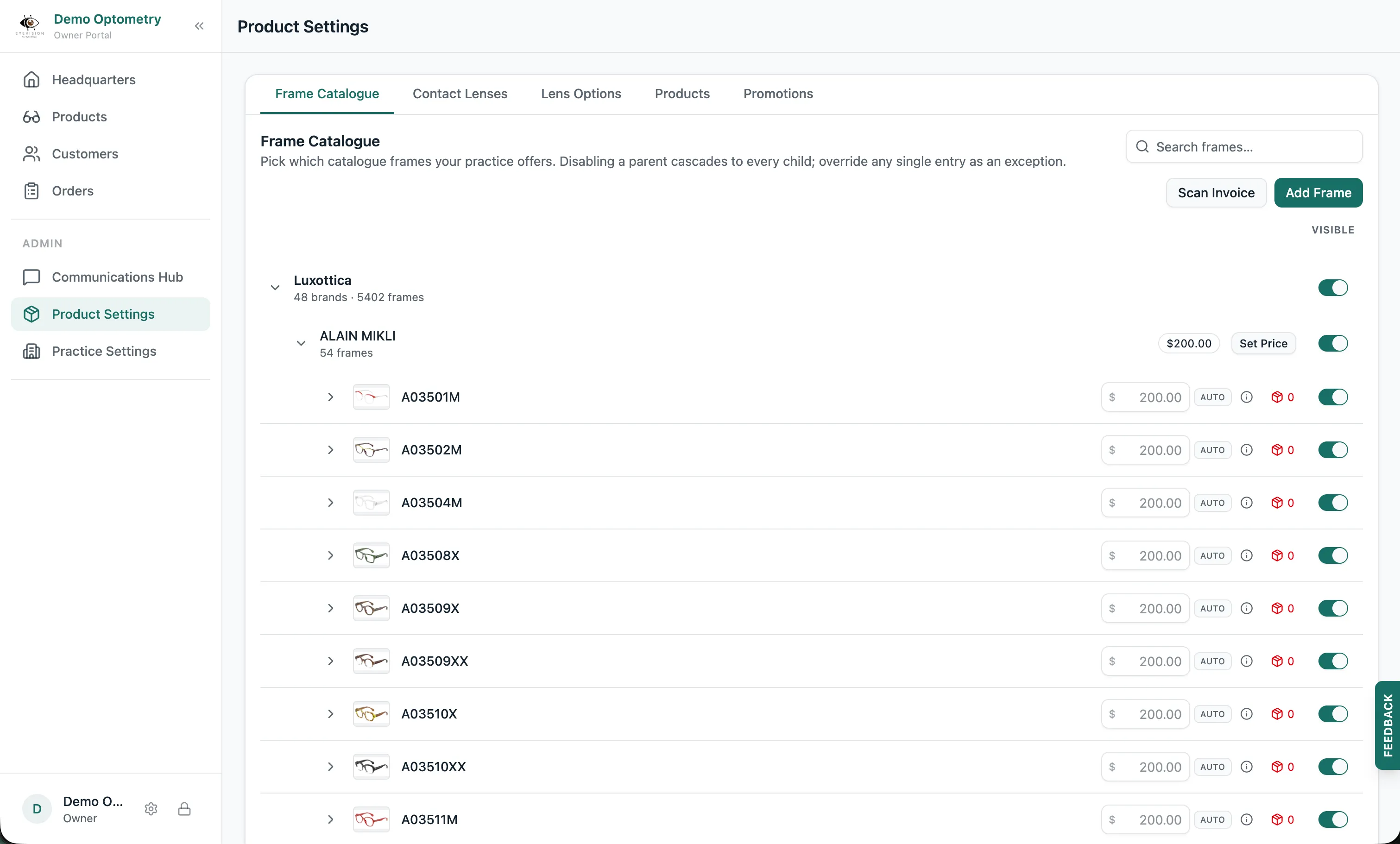
Set one price for a whole brand
You can now set a price on a brand in your Product Catalogue, and it automatically applies to every frame in that brand. One number, and the whole brand follows it.
Override a frame or a single variant
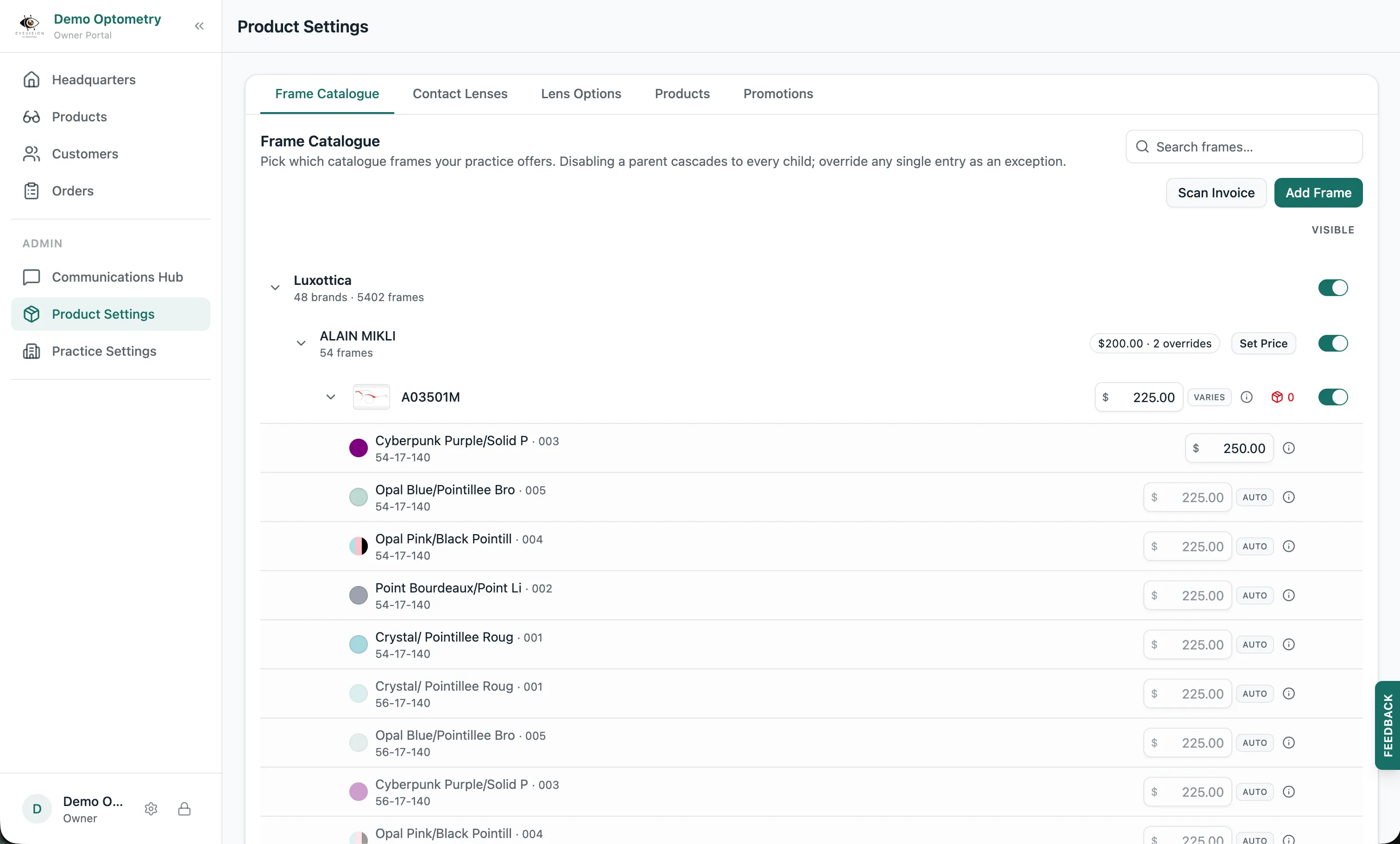
Some frames deserve their own price. Override a frame and that price applies to all of its variants. Override a single variant and only that variant changes. Everything else stays on the brand price.
Updating a price later
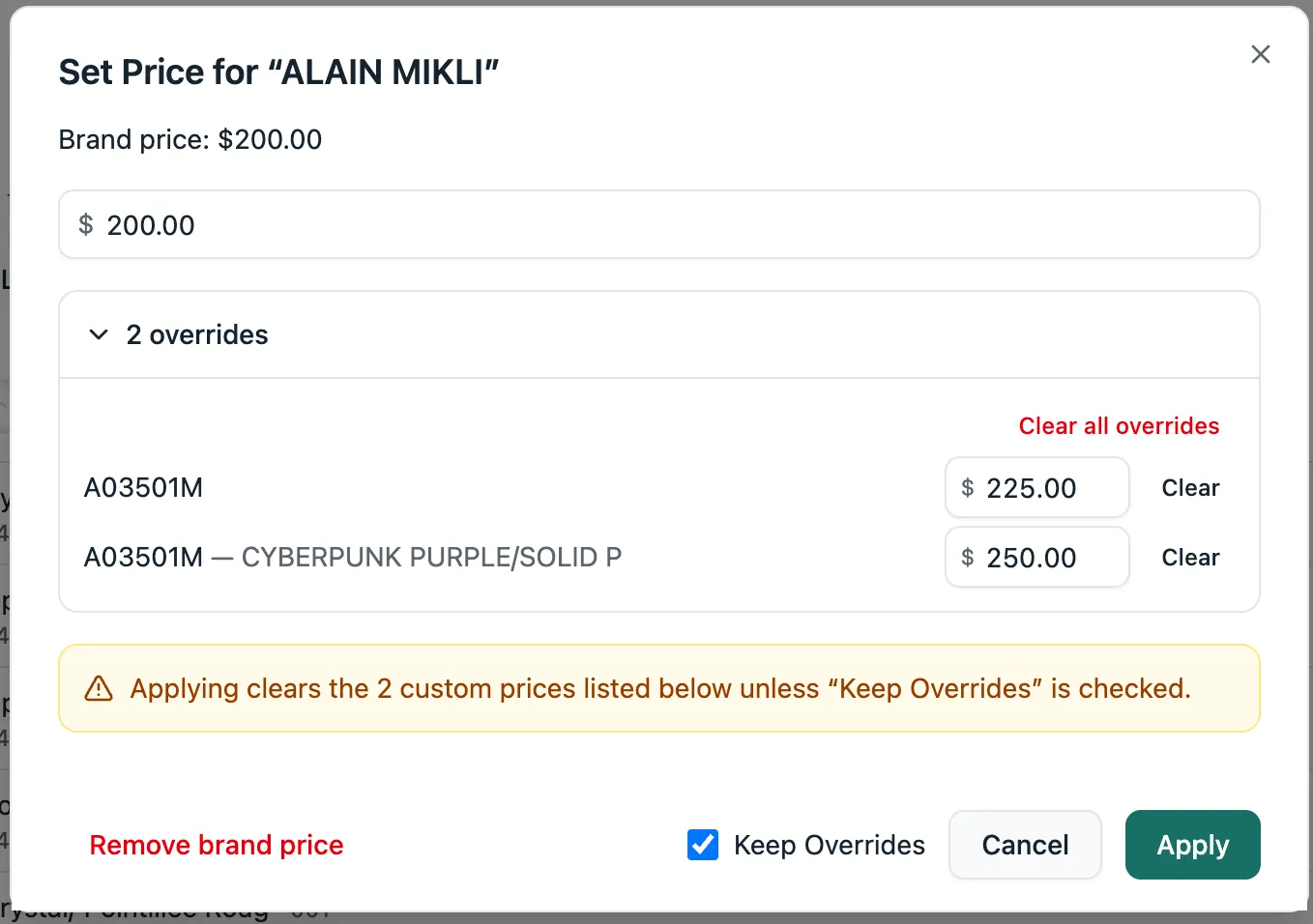
When you come back and change a top-level price, like a brand or a frame, Lume asks what to do with the overrides sitting underneath it: keep them as they are, or replace them with the new price. It’s one click either way.