Archive your orders
Orders can now be archived. Archived orders come off the Orders page, campaigns leave them alone, and you can bring any of them back whenever you like.
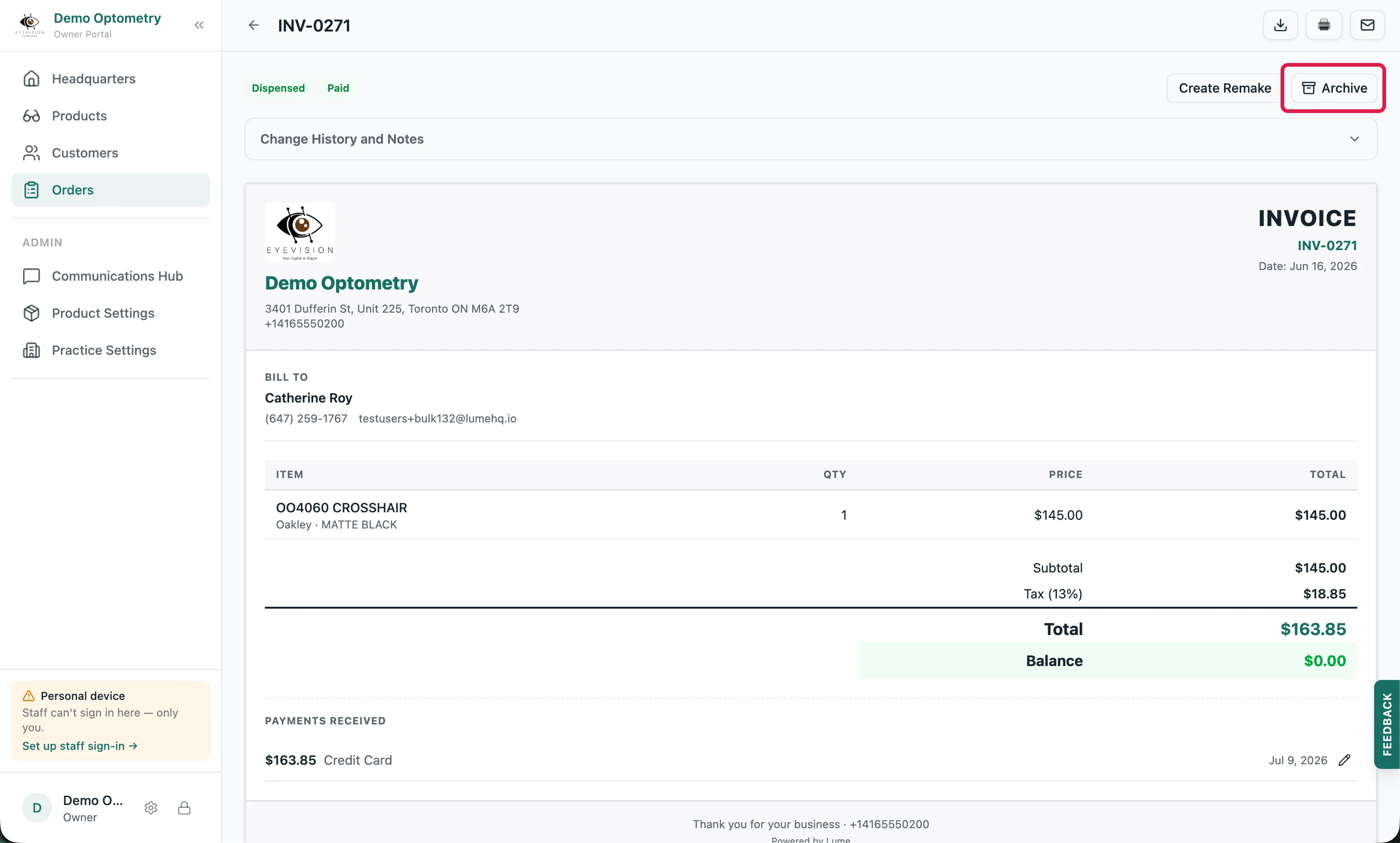
Orders can be archived now
Once an order is archived, it no longer shows on the Orders page and no automated campaigns will run against it. You can archive an order for any reason. The customer told you they’re not buying, the job is finished, or you simply want it out of the way.
Archive a batch in one go
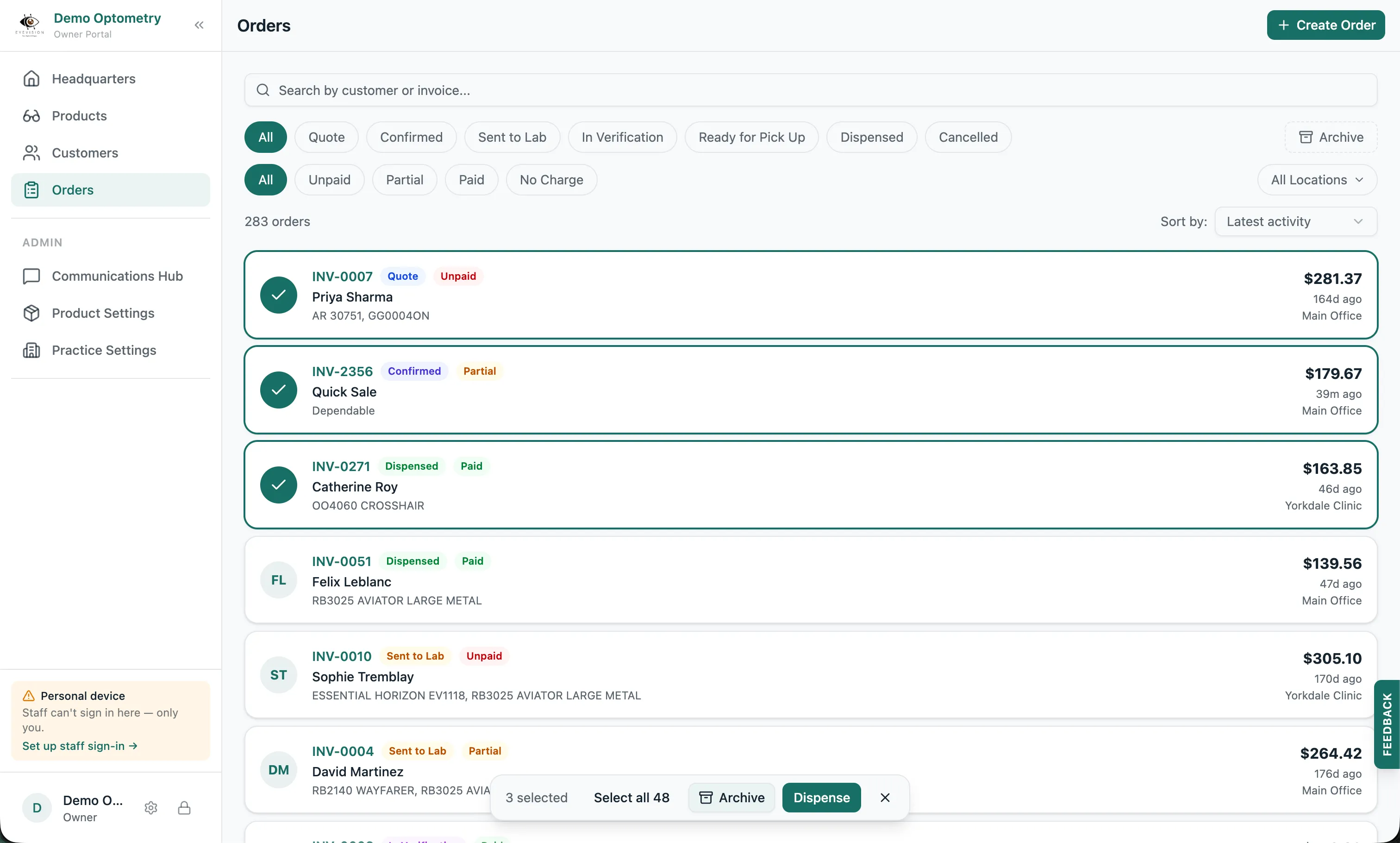
Click the circle on an order line to select it, then keep going. With several selected, one click archives them all, with no need to open each order. As a bonus, you can dispense in bulk the same way, as long as every selected order is Ready for Pick Up and Fully Paid.
Your archive is one click away
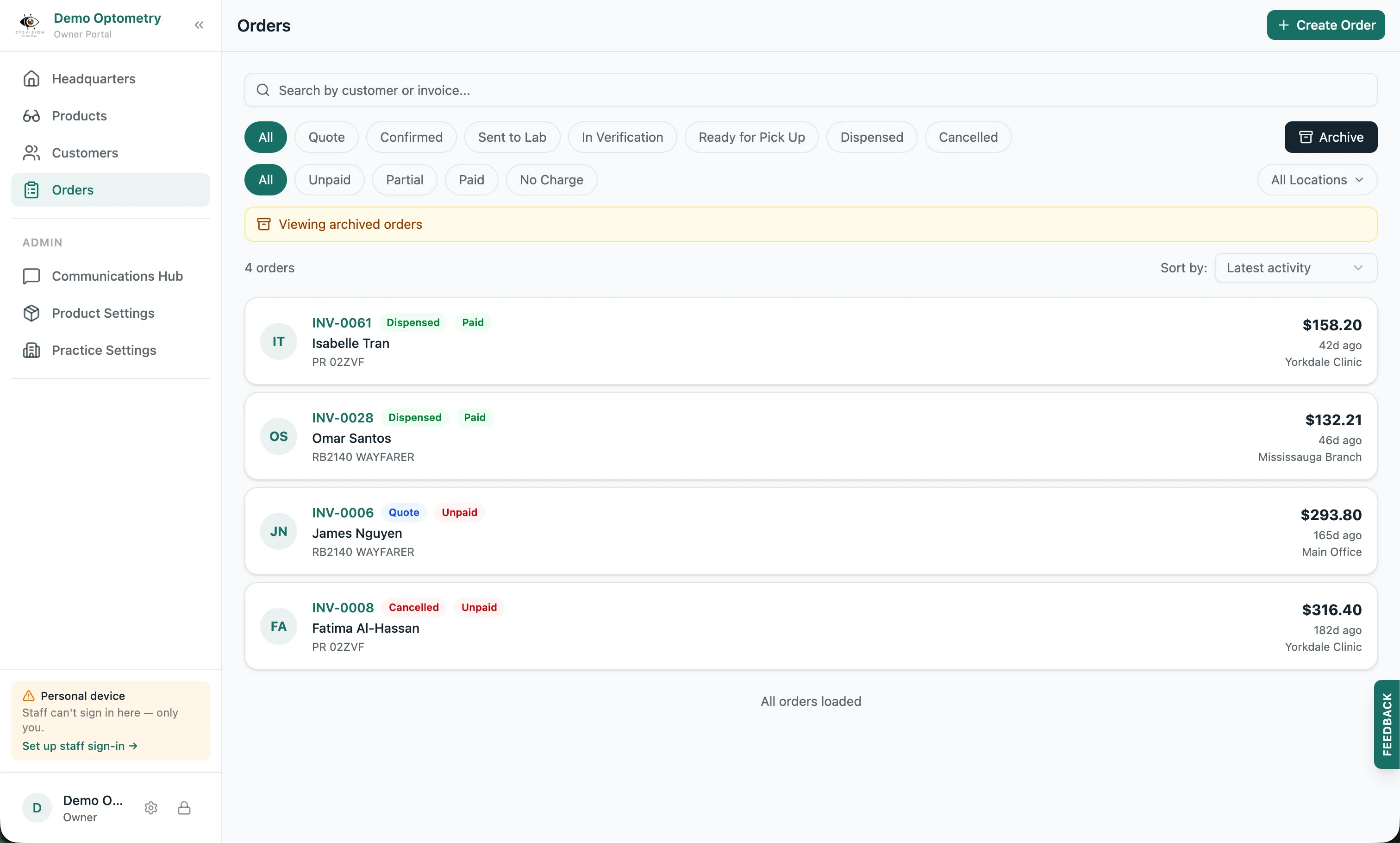
To see what you’ve archived, click the Archive button in the top right of the Orders screen. If you’re searching and there happen to be matches in your archive, Lume tells you and lets you peek at them. And nothing here is permanent: you can unarchive an order at any time, or select several and unarchive them all at once, the same way you archived them.
Or let old orders archive themselves
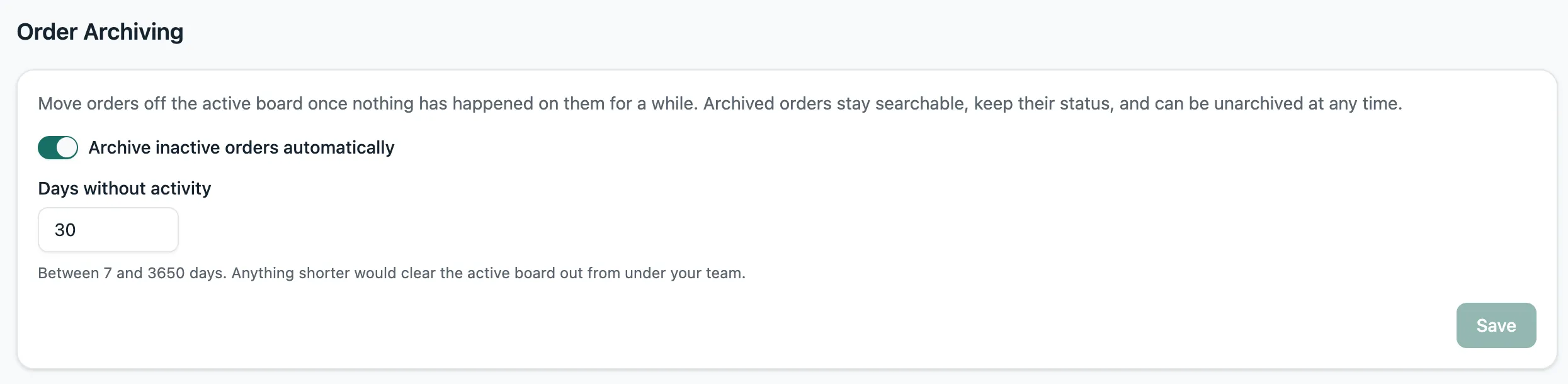
There’s a new setting in Practice Settings that, when enabled, auto-archives any order with no activity in a set number of days (30 by default). That means no notes, no clicks, no edits, no nothing. Turn it on and the tidying happens on its own.