Tap a number on Headquarters to see its orders
Every count on Headquarters opens the orders behind it, the Orders list can show what sold on a given day, and contact lenses start tax-free.
Tap a number to see the orders behind it
On Headquarters, the counts are now links. Tap 49 orders under Sold and Lume opens the Orders list with those same 49 orders, and the same total at the top.
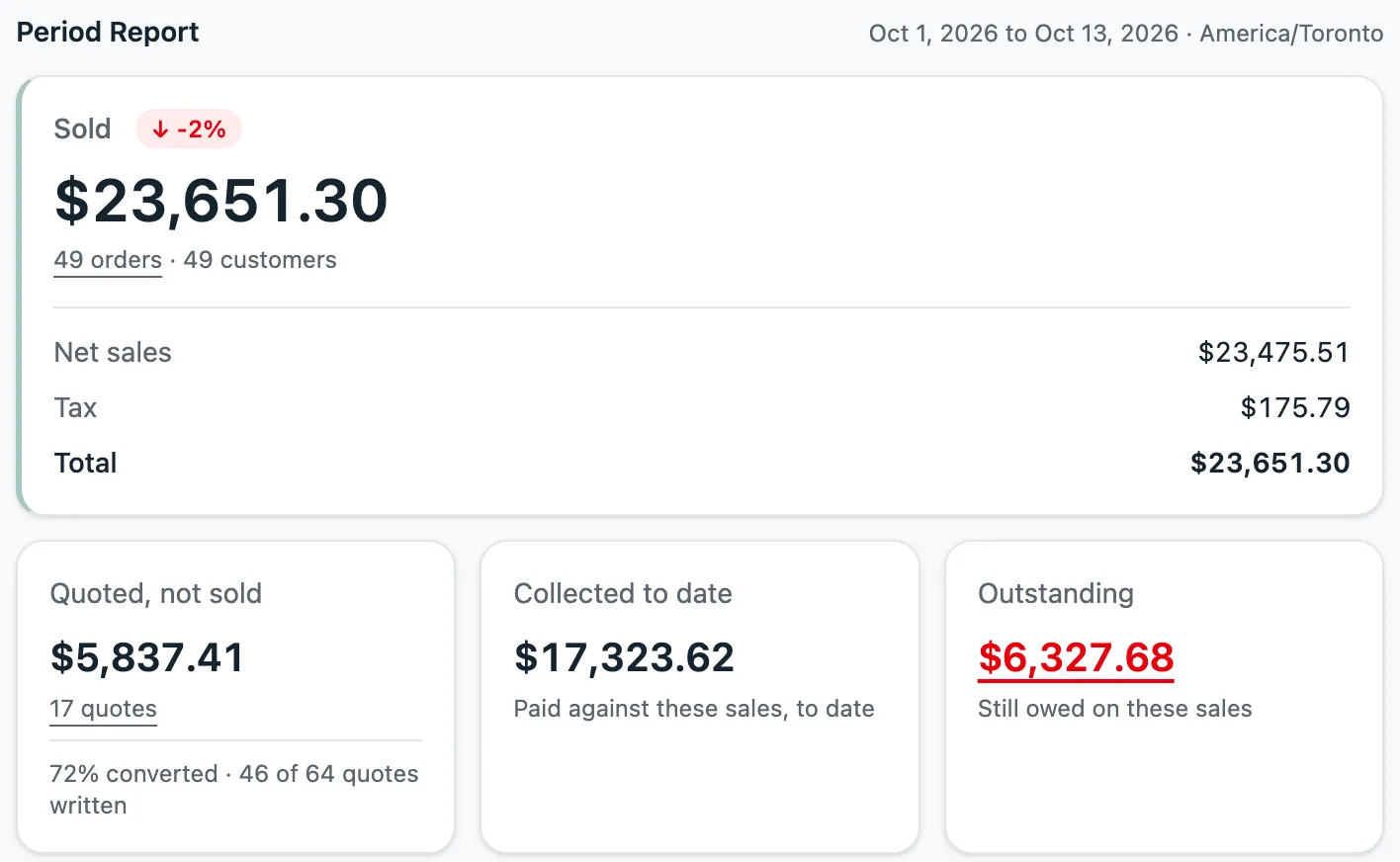
It works for quotes, for money still owed, and for each store and each team member. So when you add up a day by hand and get a different number, you can see which orders make up the difference.
Find what sold on a day
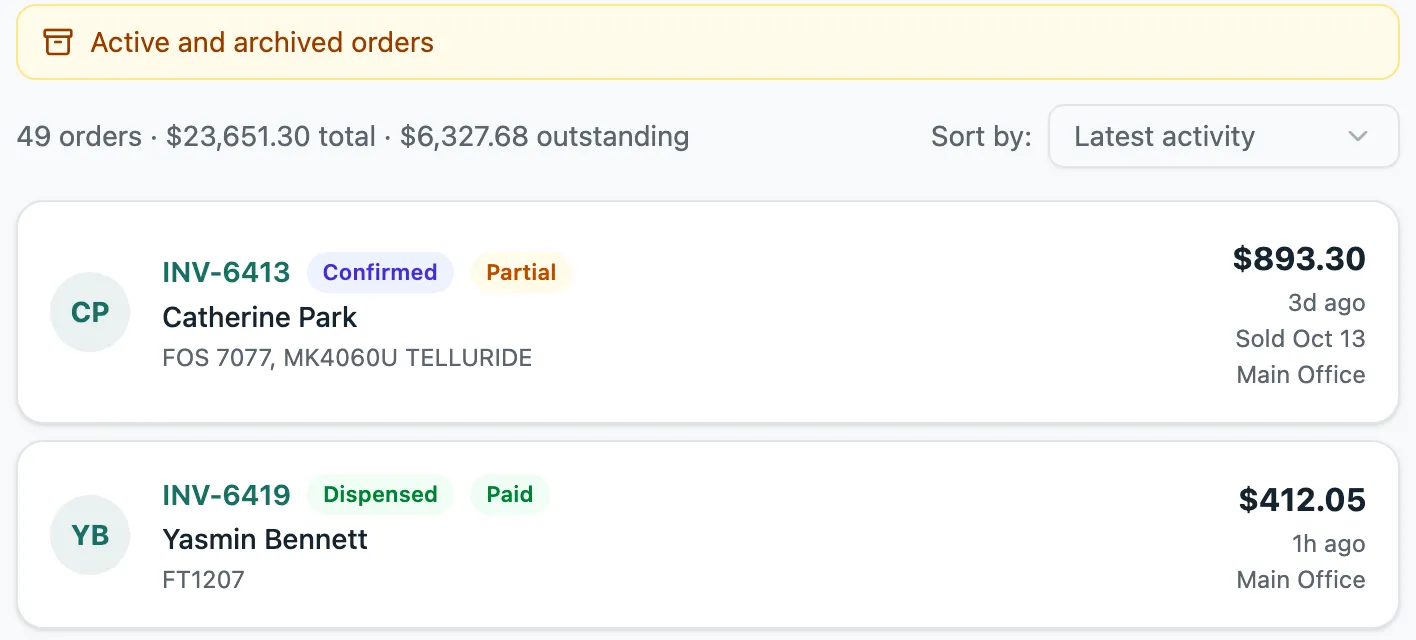
The Orders list can now show the orders sold on a given day, including ones written earlier. Open All filters and pick a Sale date.
An order written last week and sold today says Sold Oct 13 on its card, so you can see why it counts toward today.
Contact lenses start tax-free
Before, contact lenses you sell as regular products got tax added, and you had to switch it off on every line.
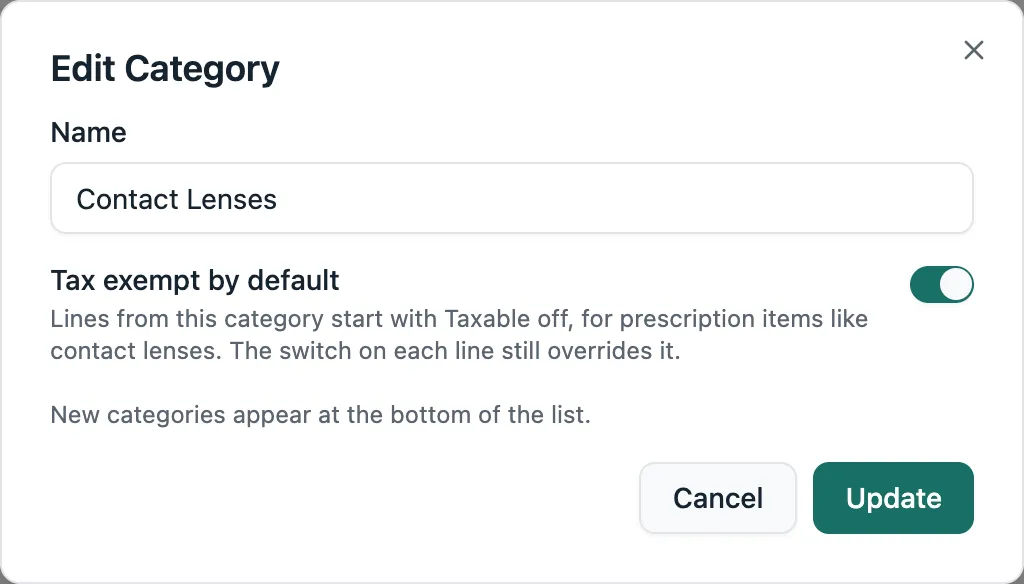
Now a category can start its lines tax-free. Lume has already turned this on for Contact Lenses. To turn it on for another category, go to Product Settings, edit the category and switch on Tax exempt by default. You can still turn tax on for a single line.
Smaller things
- You can add or change the note on a payment after you record it, for example to write down which insurance paid.
- Adding measurements to an old order no longer changes its promotion. Before, the total could drop below what the customer paid, and Lume wouldn’t save.
- A store computer that unlocks with a PIN every day now stays set up. Before, after 90 days every PIN said Incorrect PIN until an owner signed in again.
- When you add a new customer from an order, Lume checks the phone number before saving and tells you if a digit is missing.