New frames go under the right brand
Lume catches brand typos when you add a frame, shows a photo for every colour, and marks a refunded order as Refunded instead of money owed.
Add a frame under the right brand
Before, when you added a frame of your own, you typed the brand by hand. Rayban, Ray Ban and Ray-Ban ended up as three brands, and your frames got split between them.
Now you pick the brand from a list. Start typing and Lume shows the brands it already knows, with the company that makes each one. Pick one and Lume fills in the maker for you.
If you type a brand Lume doesn’t know, it checks before it saves. Type Carerra and Lume asks if you meant Carrera. Tap it and the frame goes in under the right brand.
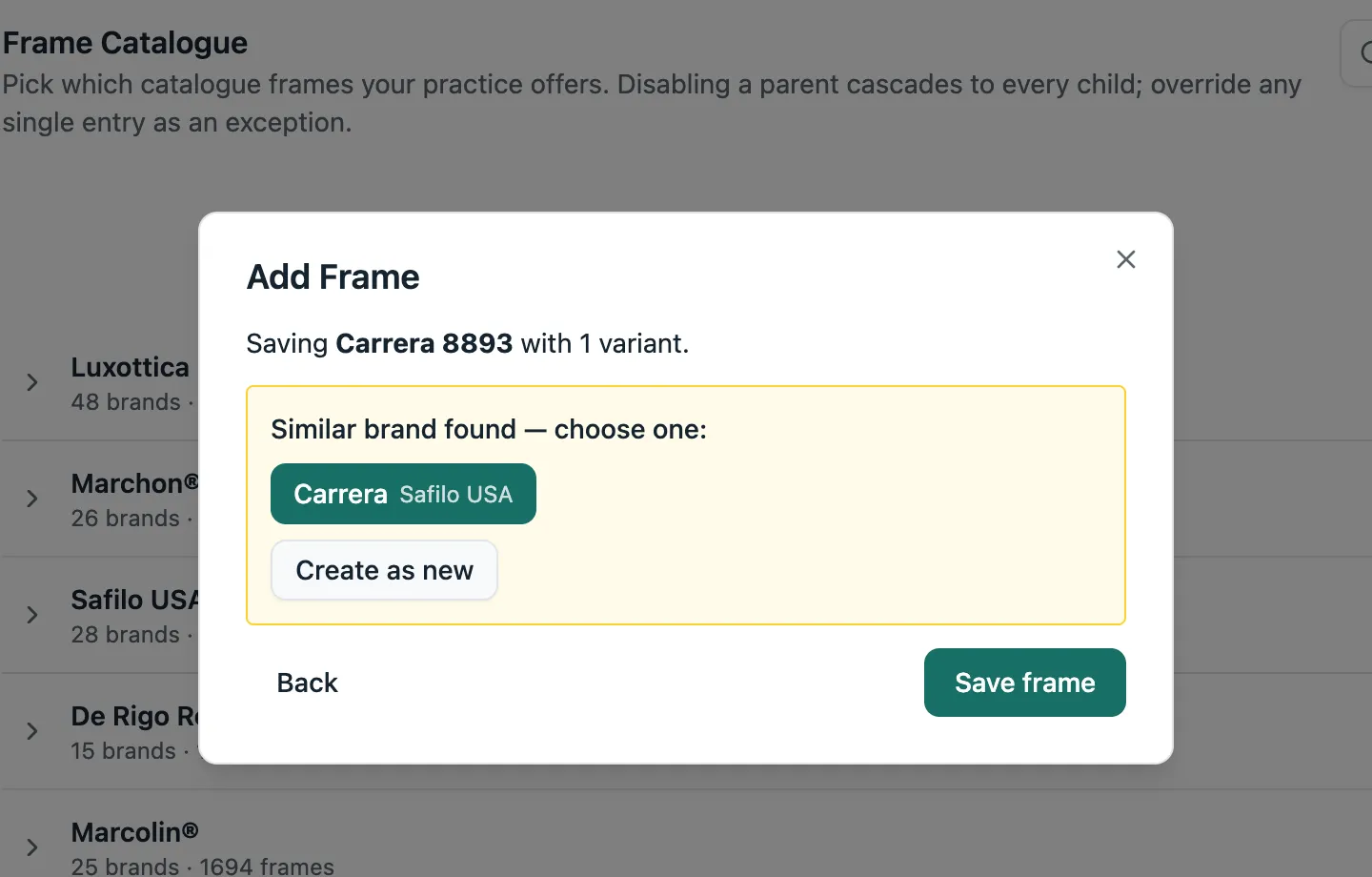
It works the same in Product Settings and when you add a new frame from an order. If the brand has a set price, Lume fills it in, and warns you if you type a different one.
A photo for every colour
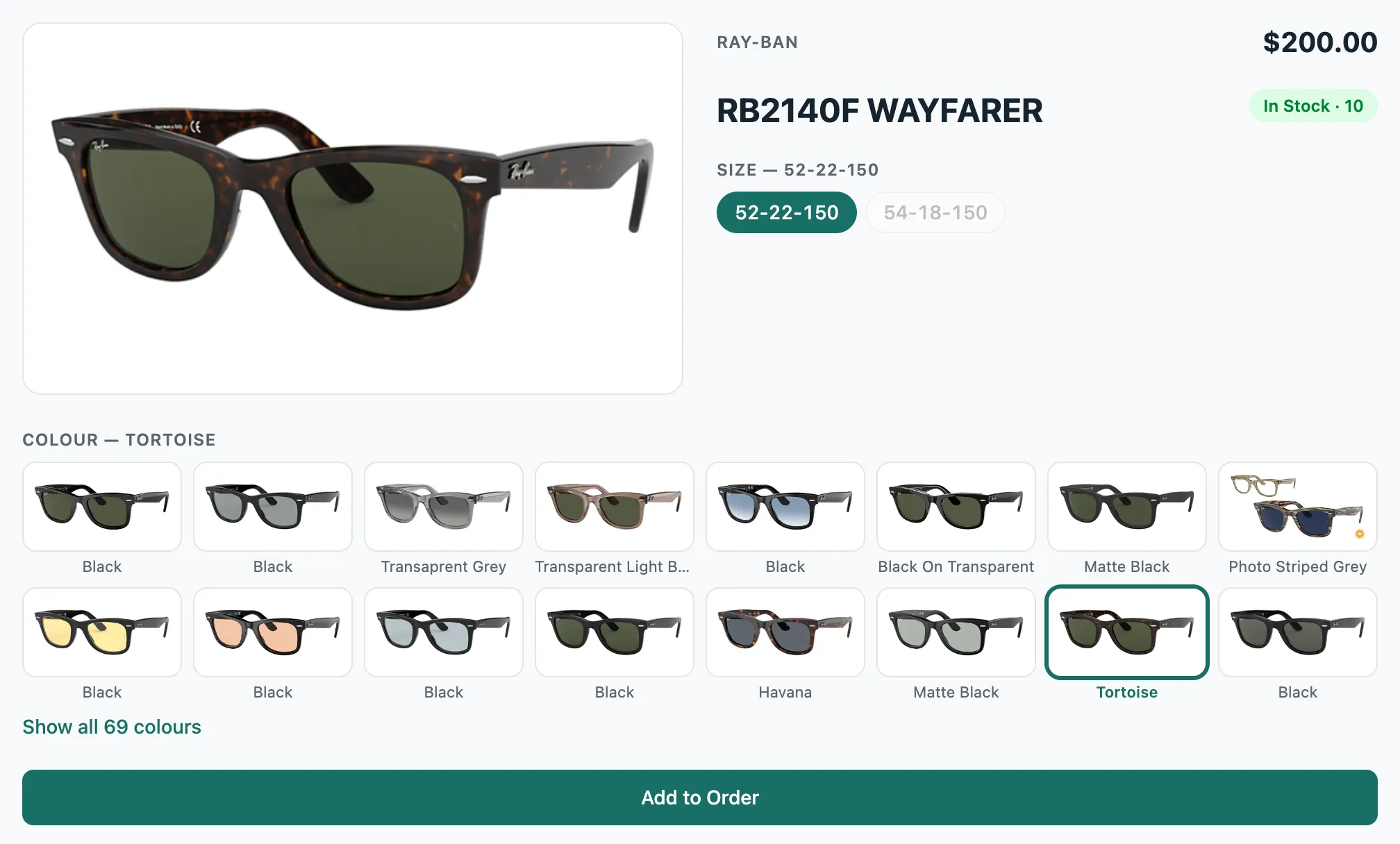
On a frame’s page, each colour now has a small photo of the frame in that colour. Tap one and the big photo changes to match. A frame with lots of colours shows two rows, and Show all opens the rest.
Refunded orders say Refunded
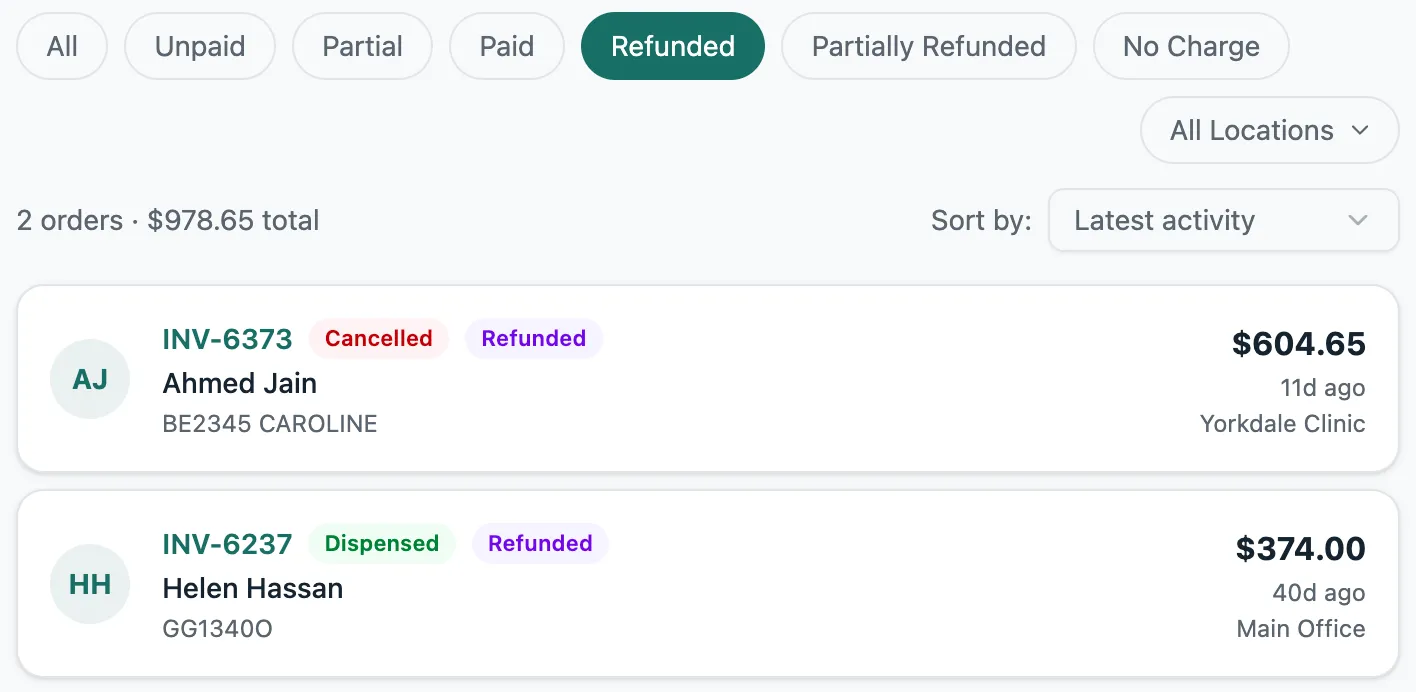
Before, if you cancelled an order and gave the deposit back, Lume called it Unpaid and showed the refund as money still owed.
Now a cancelled or picked-up order you paid back says Refunded, or Partially refunded, and Lume doesn’t count it as owed anywhere. You can find these orders with the new Refunded filter on the Orders list.
Product Settings fits on a phone
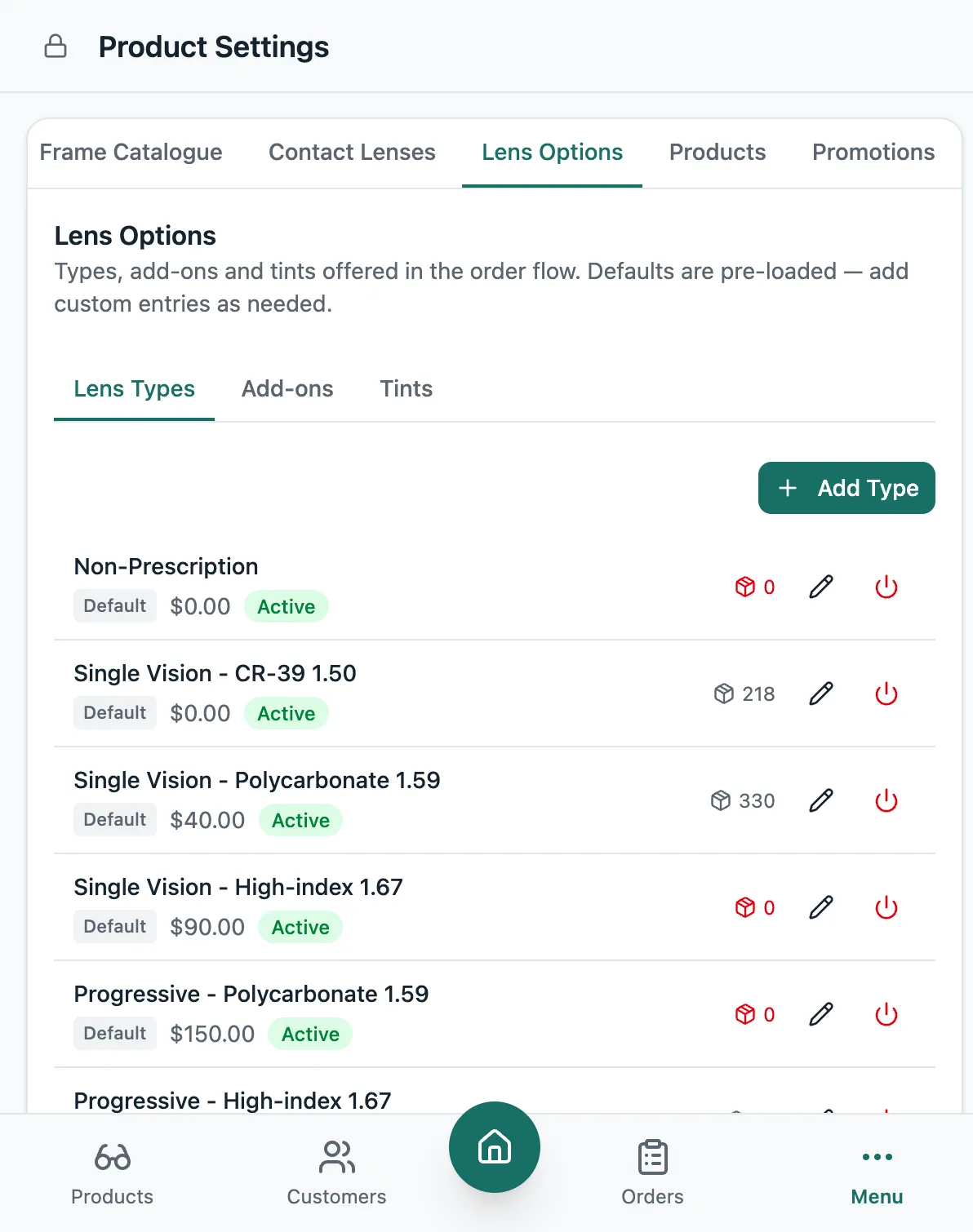
Product Settings now works on a phone. Each lens type, add-on and tint gets its own line, and the buttons stay on screen instead of falling off the edge.
Smaller things
- You can add a frame to an order from its page even if it has no price. The order marks it No price, so you remember to set one.
- The stock window opens much faster, on the colour you were looking at.
- On a phone, the order shows each frame’s name on its own line.
- Searching for a frame on an order now starts after three letters, and the results come back much faster.
- Lume opens faster the first time you load it.
- When Lume asks “Are you sure?”, it now asks in its own window, not the browser’s grey pop-up.
- Addresses keep their street number when you pick one from the suggestions, even when the unit comes first, like Unit 4, 345 Main St.
- When you pick where a frame comes from on an order, Lume shows how many are in stock at your store. Tap the number to change it.
- Signing out takes you to the sign-in page, not the lock screen.