See at a glance when a promotion has ended
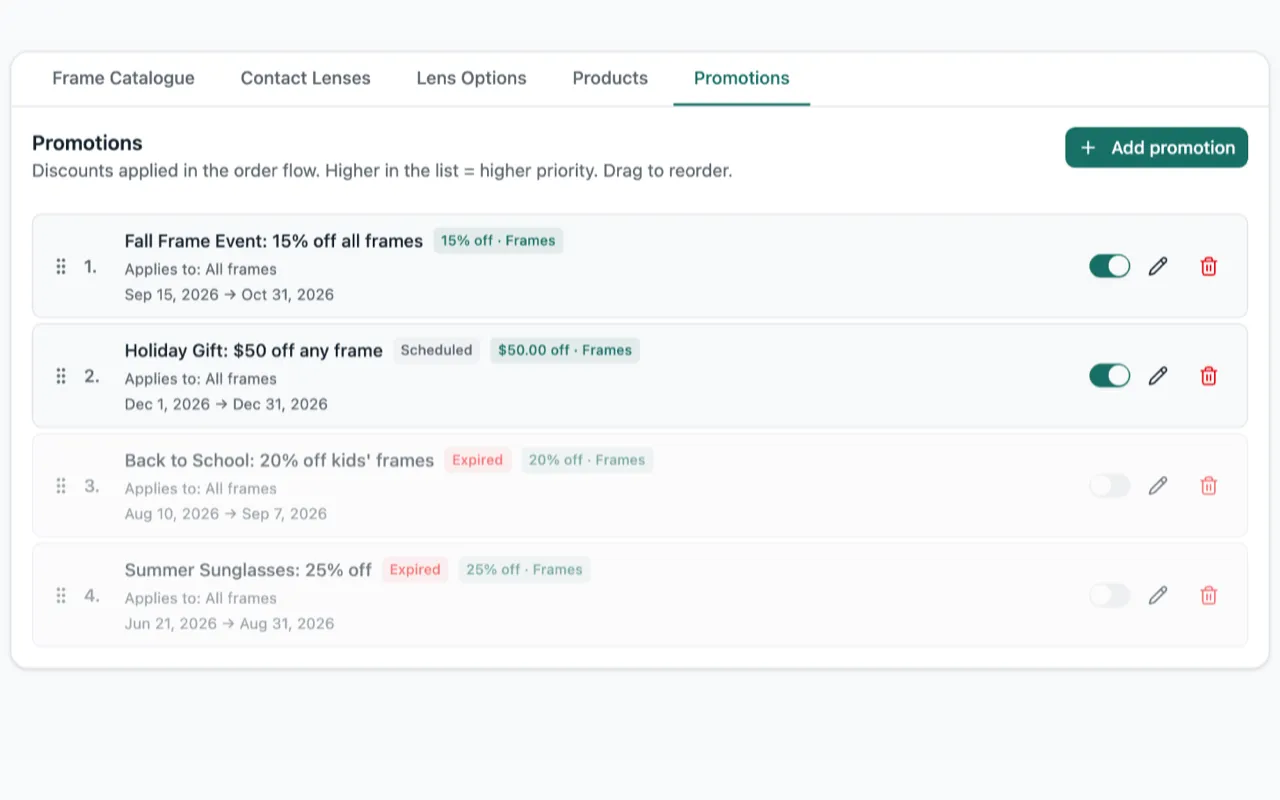
The Promotions page now marks a promotion Expired once its last day has passed, and Scheduled before it starts. And the staff copy of an order got shorter.
Know when a promotion has ended
Before, a promotion stayed switched on in the Promotions page even after its last day. It looked like it was still running, but it no longer took anything off your orders. You had no way to tell why.
Now, once a promotion’s last day has passed, Lume marks it Expired and greys it out. A promotion that has not started yet is marked Scheduled. Try to turn an expired promotion back on and Lume tells you the day it ended, then opens it so you can pick new dates.
Prescription and measurements, side by side
On the staff copy of an order, the prescription and the frame measurements used to sit one on top of the other under every item. Now they sit next to each other. The page is shorter, and whoever sends the job to the lab can see both at a glance.