Special order frames, and remakes that start at $0
Mark a frame as a special order and Lume tracks it until it arrives. Remakes start at $0, orders show what's owed, and add-ons fit in one dropdown.
Sell a frame you don’t have yet
A customer falls for a frame you have none of in the store. Before, Lume let you sell it anyway, and your stock count dropped below zero.
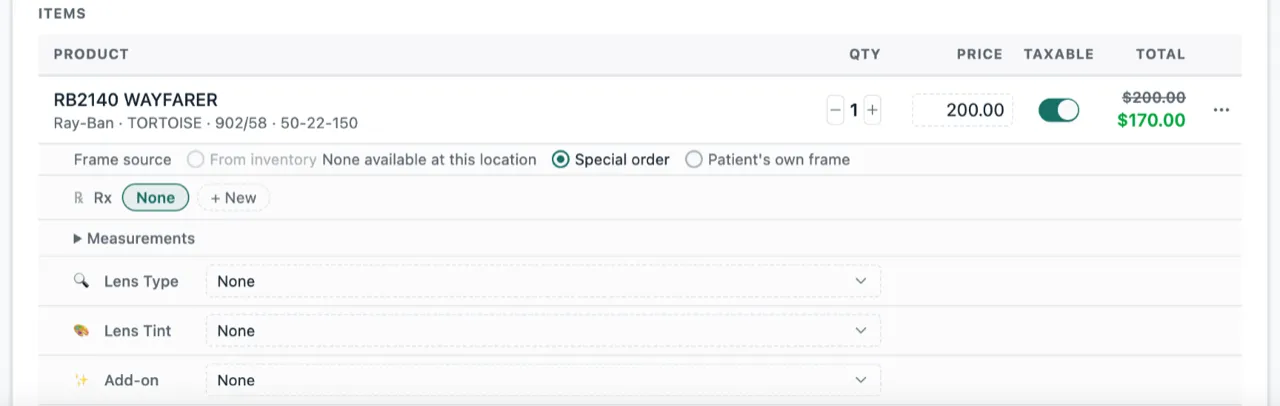
Now each frame on an order has a Frame source with three choices: From inventory, Special order or Patient’s own frame. If the frame is on your shelf, Lume picks From inventory for you. If that store has none left, Lume picks Special order.
Know when it arrives
When the frame comes in, open the order and tap Mark received. Lume adds it to your stock and holds it for that customer until they pick it up.
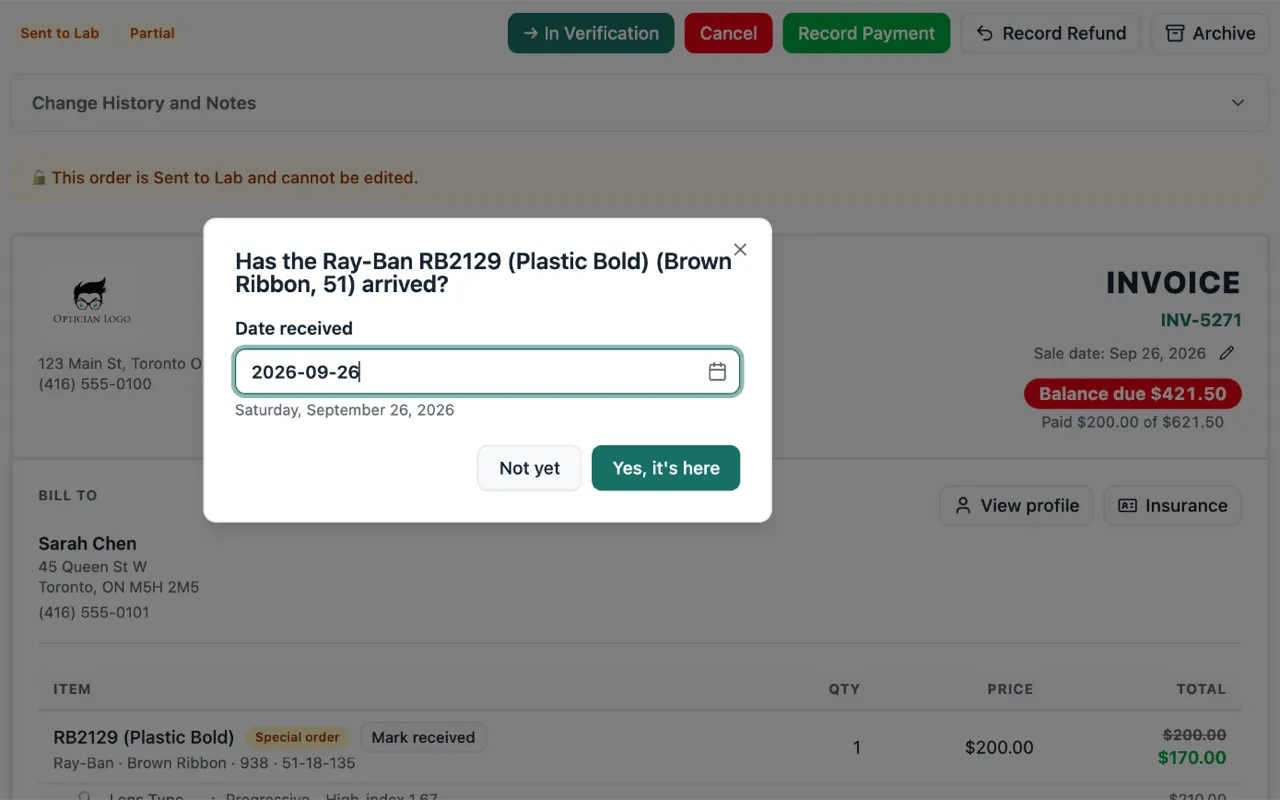
If you try to move the order along before the frame is in, Lume asks you: “Has the frame arrived?” Tap Yes, it’s here, and the order moves on. On the Orders page, a new Special order filter shows every order still waiting for its frame.
If your practice doesn’t count stock in Lume, Special order is just a label. The lab sees it, and nothing else changes.
Remakes start at $0
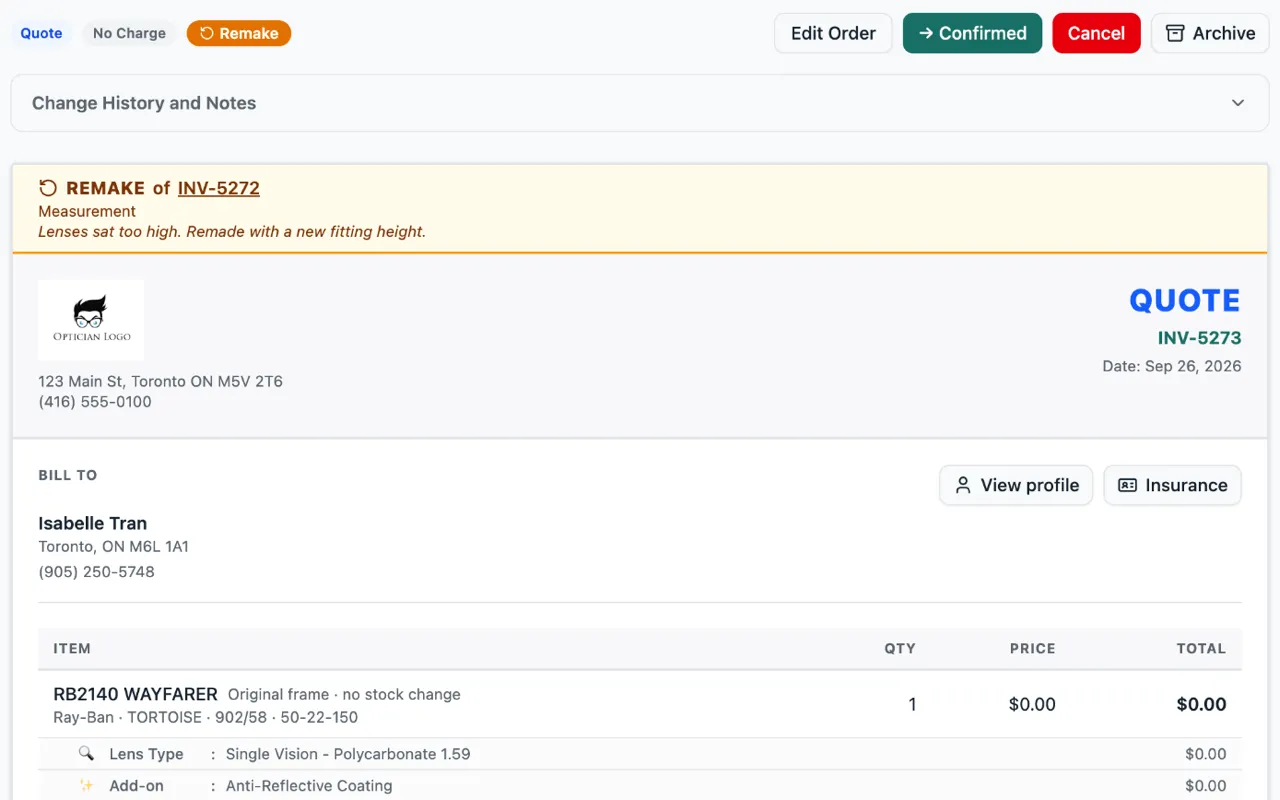
When you remake an order, every price now starts at $0. Add a price only to what the customer is paying for. The frame measurements come over from the first order too.
If the customer keeps the same frame, Lume doesn’t take a second one off your shelf. If you swap in a new frame, Lume asks whether the old one goes back into stock.
A remake now has an orange banner at the top. It says which order it replaces and why. The history on each order links to the other one.
See what the customer still owes
When a customer still owes money, a red Balance due tag sits at the top of the order, with how much they have paid so far right under it. It is on the customer’s copy too, so they see it as well.
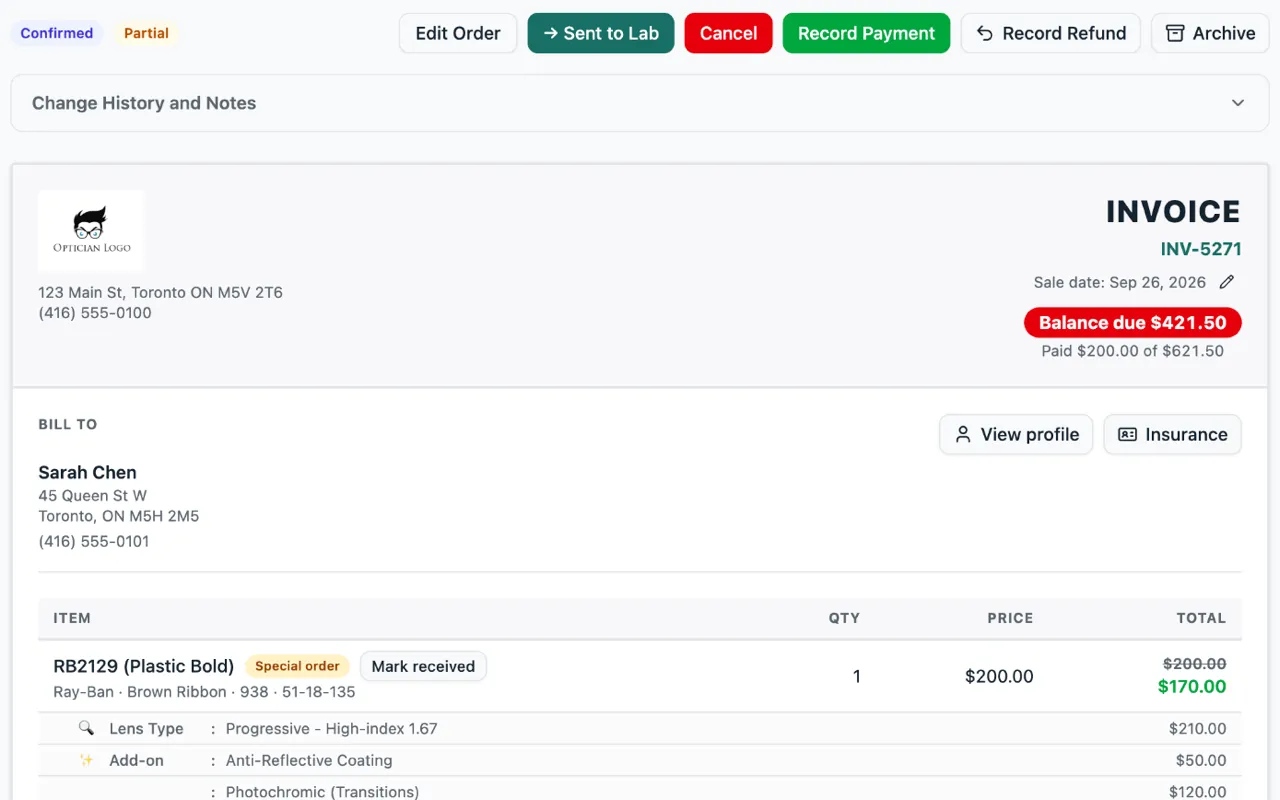
Two small things on the same screen. The customer’s preferred name now shows next to their first name, like Jonathan (Jon) Smith. And phone numbers look the way you would write them: (416) 555-0142.
All your add-ons in one dropdown
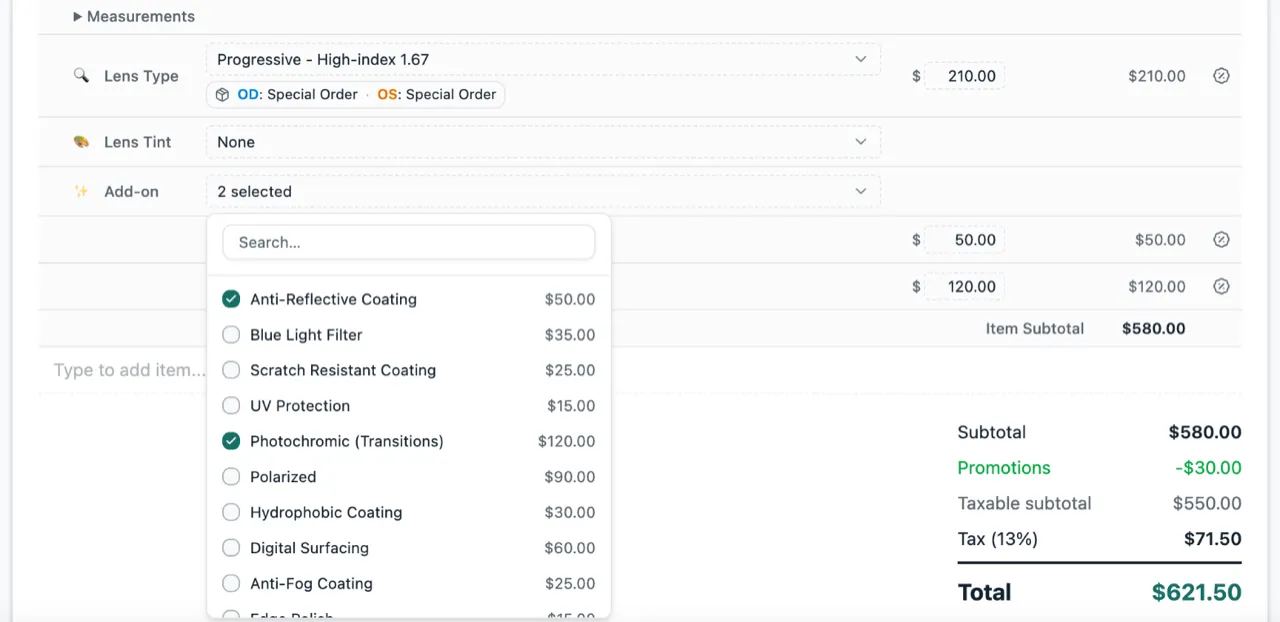
Before, every frame on an order listed all of your add-ons as checkboxes. With a lot of add-ons, the order got very long. Now add-ons live in one dropdown. Tick as many as you need, and only the ones you picked show up on the order. Lens type and tint use the same kind of dropdown.