A paid order now emails a receipt, not a quote
When you email an order, the customer now gets a quote, an invoice or a receipt, depending on where the order is at. You can write your own wording for all three. And Messages gets an Unread filter.
The email matches the order
Before, the email button on an order always sent “Your quote from Einstein’s Optical”. Even when the customer had paid in full and the attached PDF said Invoice. Some customers wrote back to ask if they still owed money.
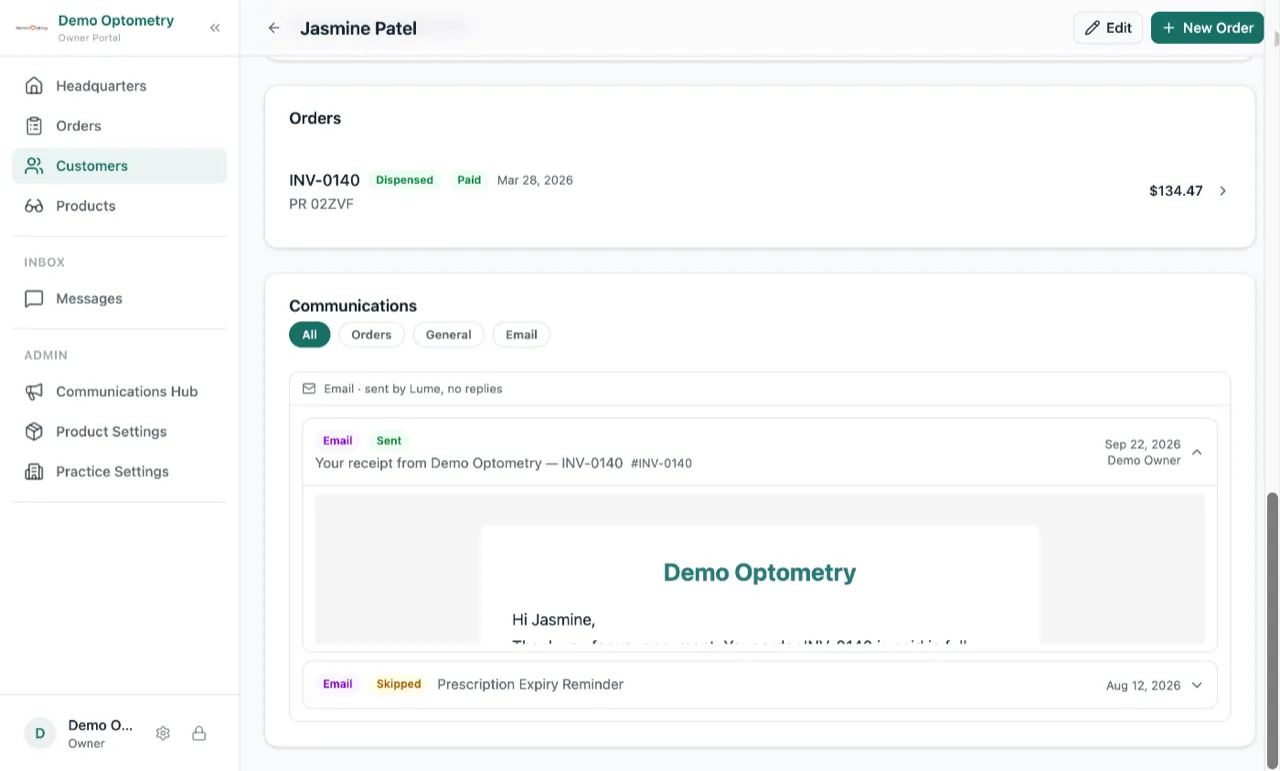
Now the email matches the order. A quote sends a quote. An order the customer has confirmed sends an invoice. An order paid in full sends a receipt, with a line for each payment: the date, how they paid and how much. The button on the order tells you which one it will send. Once an order is paid, it reads Email receipt to customer.
Write the three emails your way
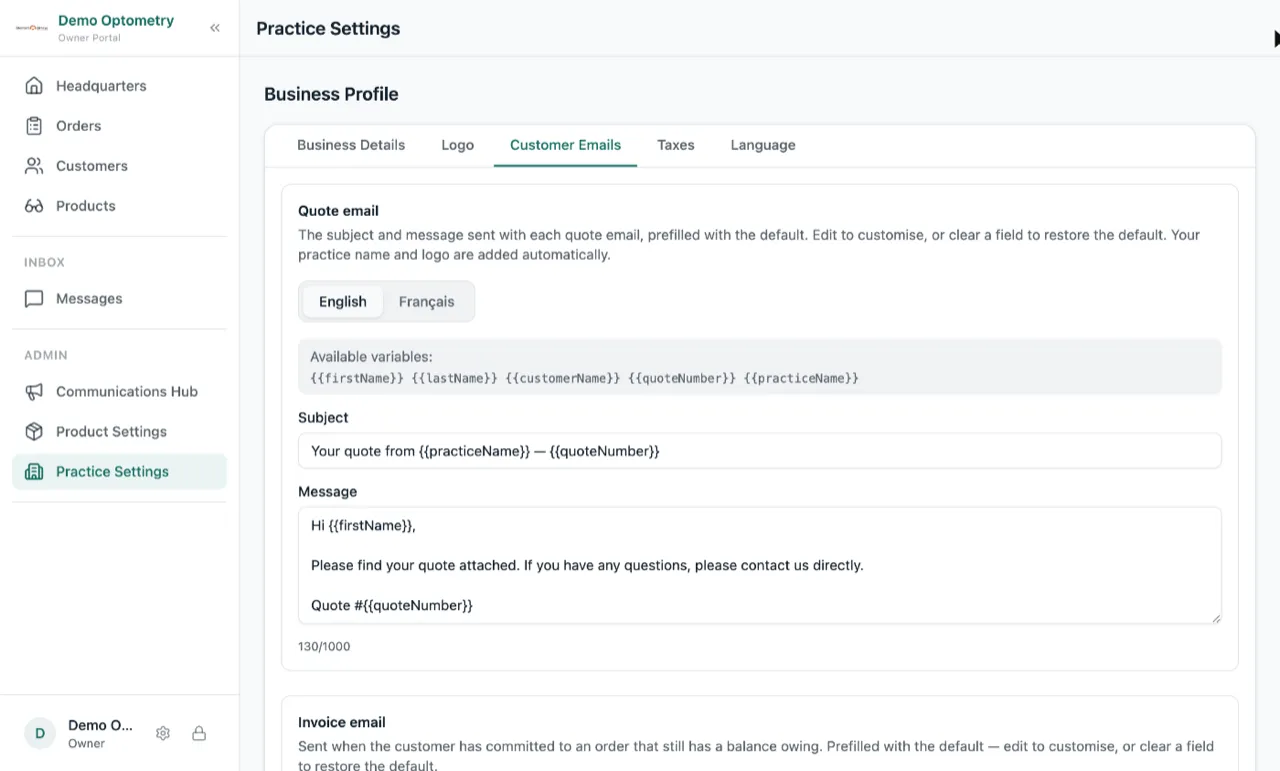
Practice Settings has a new Customer Emails tab, in place of Quote Email. It has a section for each email, quote, invoice and receipt, in English and in French. Change the subject or the wording and every order sends your words from then on. Leave a box empty and Lume uses its own wording.
Message History on a customer’s profile now says which one went out: Quote Email, Invoice Email or Receipt Email.
Messages: see only the unread ones (beta, limited release)
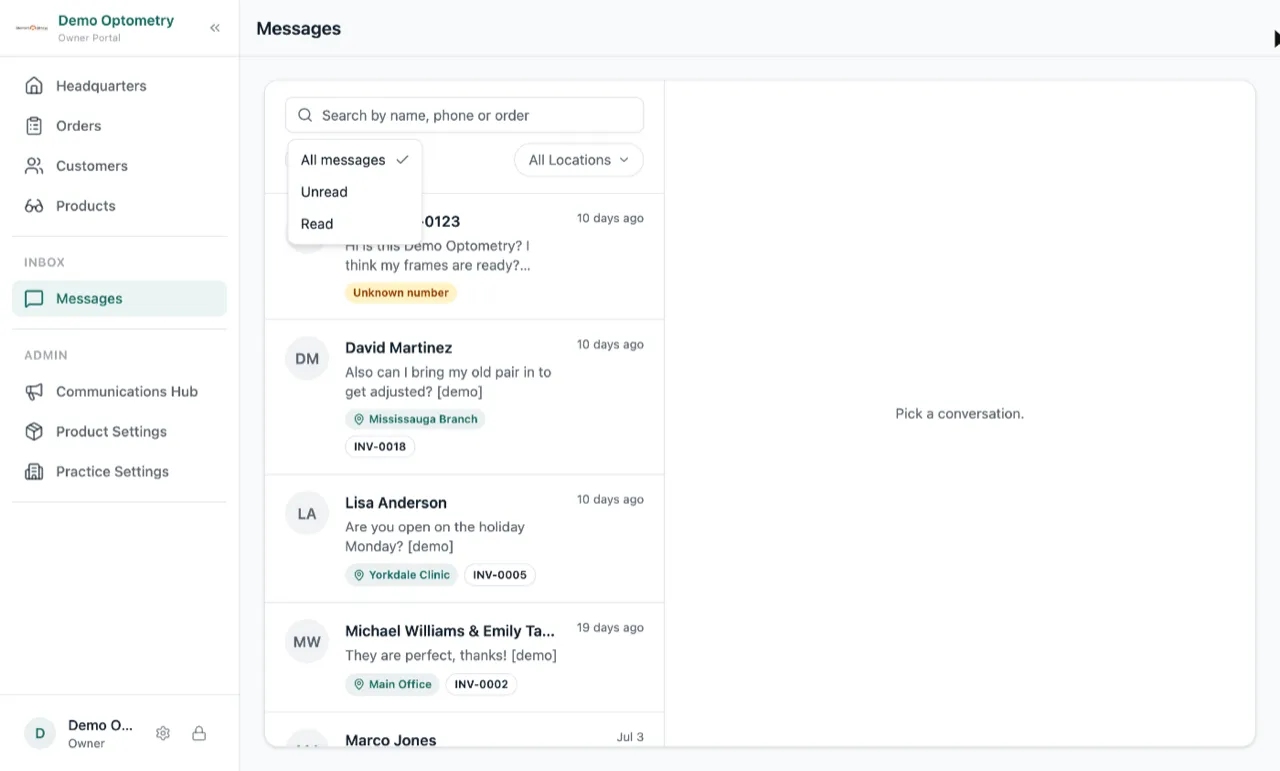
Messages has a new filter at the start of the row: All messages, Unread or Read. Pick Unread, open a thread, come back, and it is still on Unread. The location tag on each conversation now uses the short name you gave the store. Texts Lume sent on its own, like the one that says the glasses are ready, no longer show up as a reply from a team member. And the whole page has a bit more room to breathe.
Messages is a beta with a limited number of practices. If you want to be part of the beta group, reach out and we will turn it on for you.