Small improvements you'll feel all day
A batch of quality-of-life updates: keyboard-friendly Rx entry, typeable dates, arrow keys on customer search, editable payment types, simpler Rx and insurance entry, and tidier lock screens.
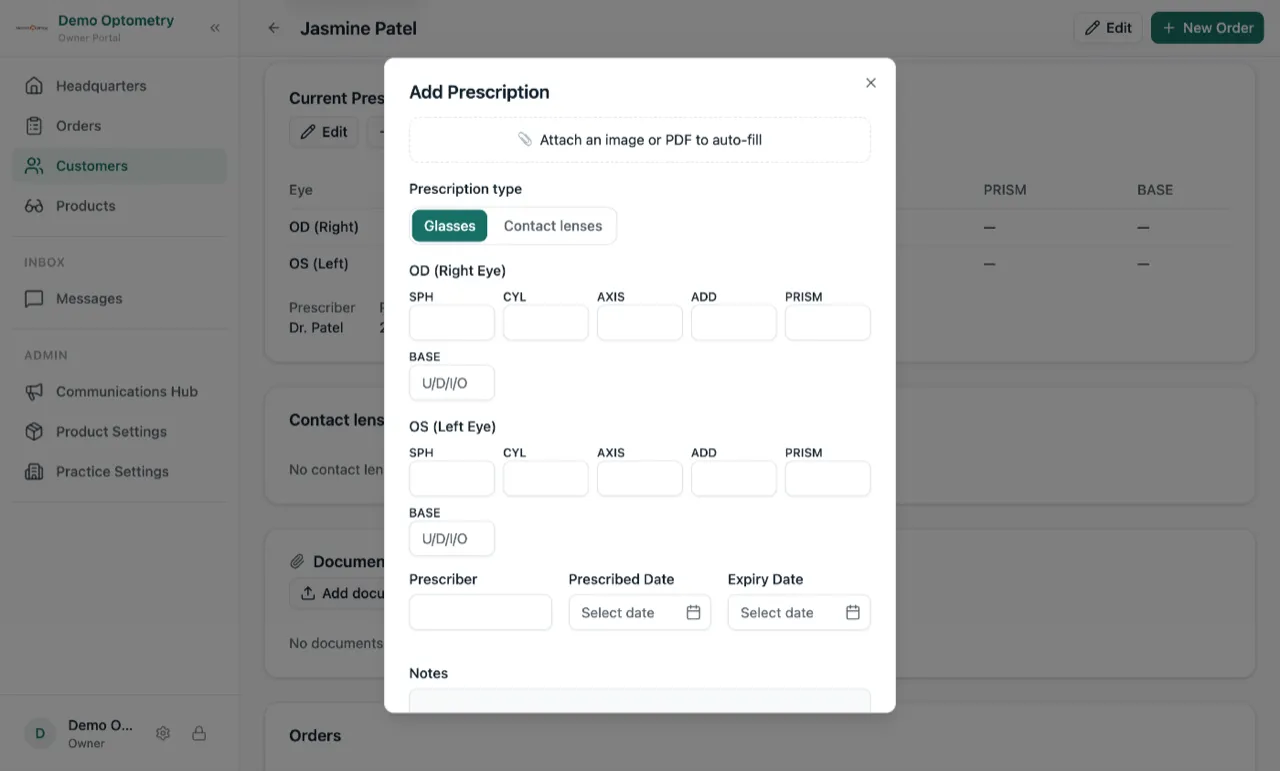
Tab through an Rx the way you read it
When you’re entering a prescription on an order, Tab and Enter now move through the fields in the same order you read them off the script. Your hands stay on the keyboard and the cursor is always where you expect it to be.
Type a date, or pick one
Every date field now accepts typed entry alongside the calendar pop-up. If typing is faster than clicking through months, just type.
Arrow keys on customer search
When you’re adding a customer to an order, the down arrow moves through the matches, all the way to Add New Customer. Pick the right person without reaching for the mouse.
Fix a mis-keyed payment type
Recorded a card payment as cash? You can now correct the payment type on a recorded payment instead of living with it. And if the order had been archived in the meantime, fixing the payment brings it back.
One way to enter an Rx or insurance
Manual entry and file upload used to be separate paths. They’re now one: enter the details by hand, or attach a photo or scan and let Lume fill the fields from it. The same goes for both prescriptions and insurance.
Lock screens that stay clean
Trusting a device now asks which location it belongs to. That means the lock screen only shows the people who actually work there, instead of everyone across all your locations.