A new menu, texts from your customers, and a map of where they live
Lume has a new menu. Customers can now text you back and you read it in Lume (beta, limited release). You can see exactly what Lume adds to every message you send. And Insights gets a map of where your customers come from.
A new menu
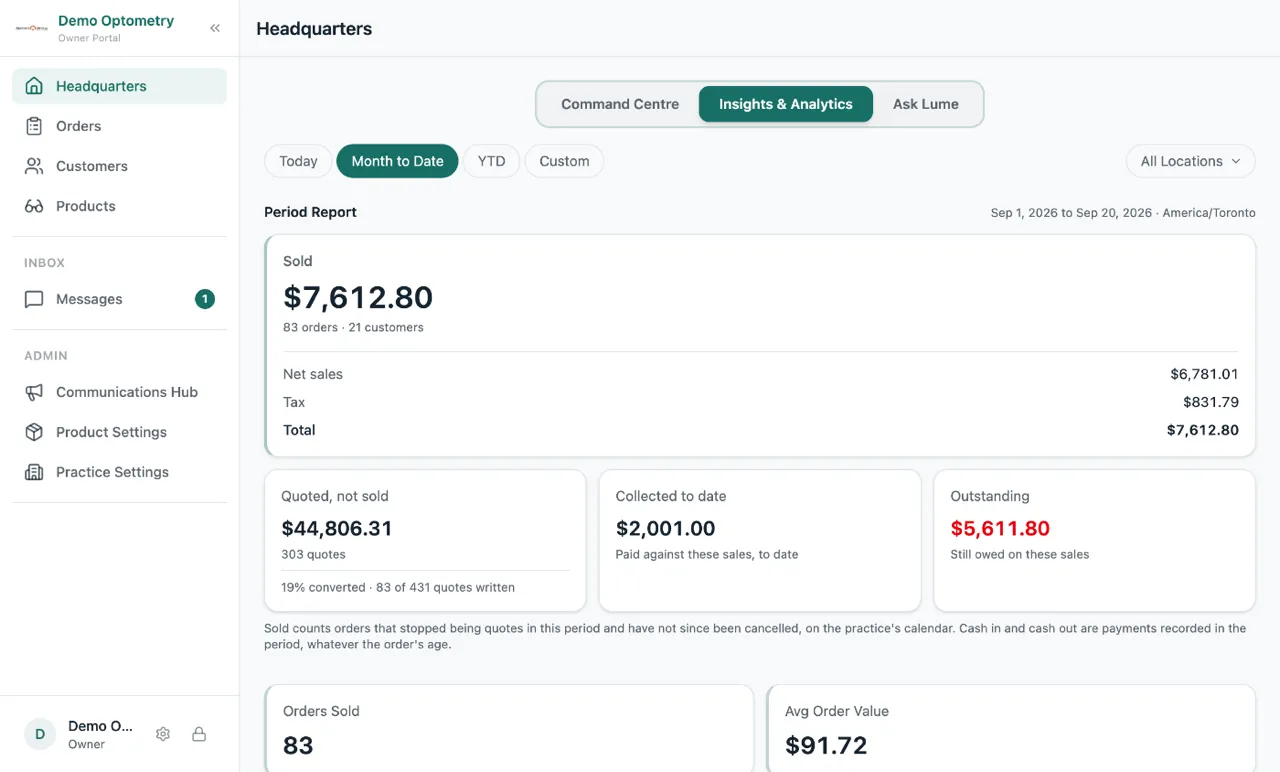
The menu on the left is now sorted into three groups. Work has Headquarters, Orders, Customers and Products. Inbox has Messages. Admin has your settings. On a tablet or a phone, the bottom row is the same as before, plus a Menu button that opens the rest.
Customers can text you back (beta, limited release)
Lume already texts your customers when an order is ready. Until now, if a customer texted back “Can I come Saturday?”, that message went nowhere. Now it lands in Messages, right inside Lume.
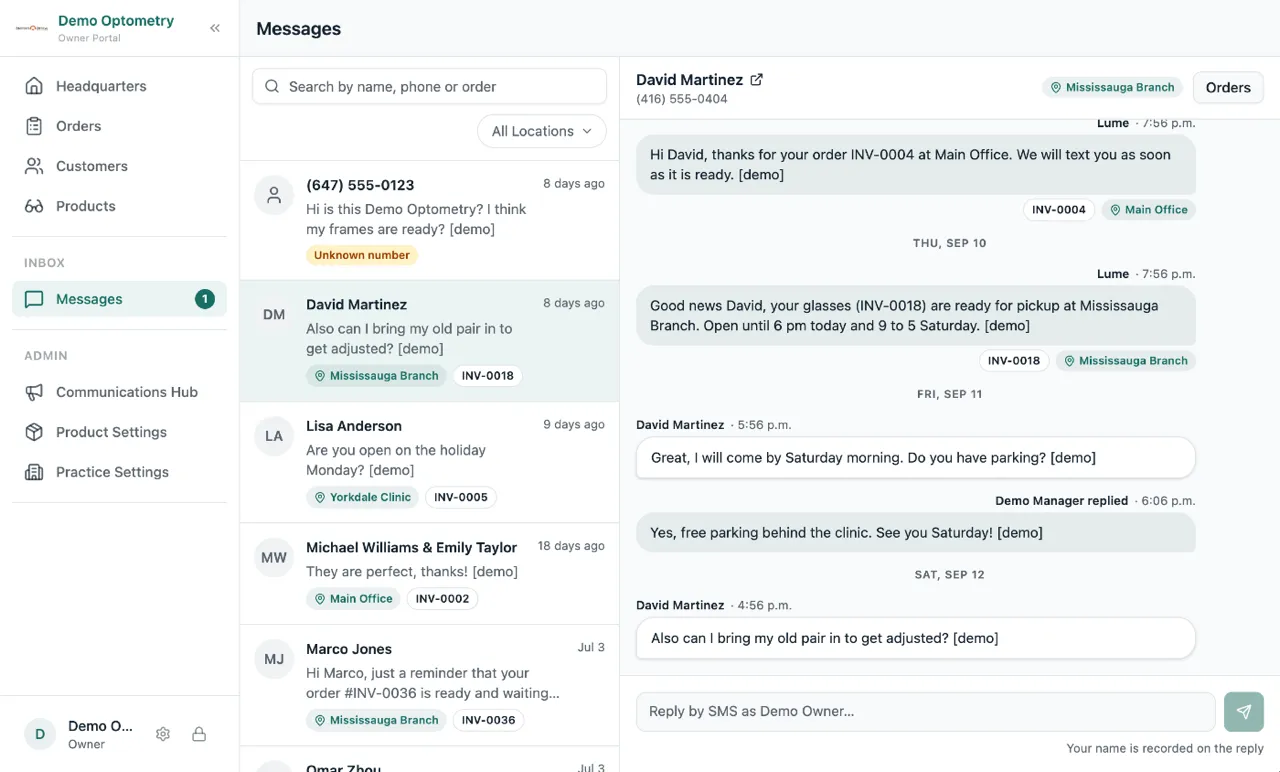
Each customer gets one thread. You see every text Lume sent them and every text they sent you, in order. Reply from the thread and it goes out as a text from your practice number. A badge on the menu tells you when something new came in, and it updates live, even if a coworker on another tablet is looking at the same screen. Open a customer’s profile and their conversation is right there too.
This is a beta with a limited number of practices. If you want to be part of the beta group, reach out and we will turn it on for you.
See what Lume adds to your messages
Every text and email Lume sends carries a few things you did not write: your practice name at the front, a “Reply STOP to unsubscribe” line, a closing line on emails, and the sender details Canadian law requires. Until now you could not see any of it, so some practices typed their name into the message a second time.
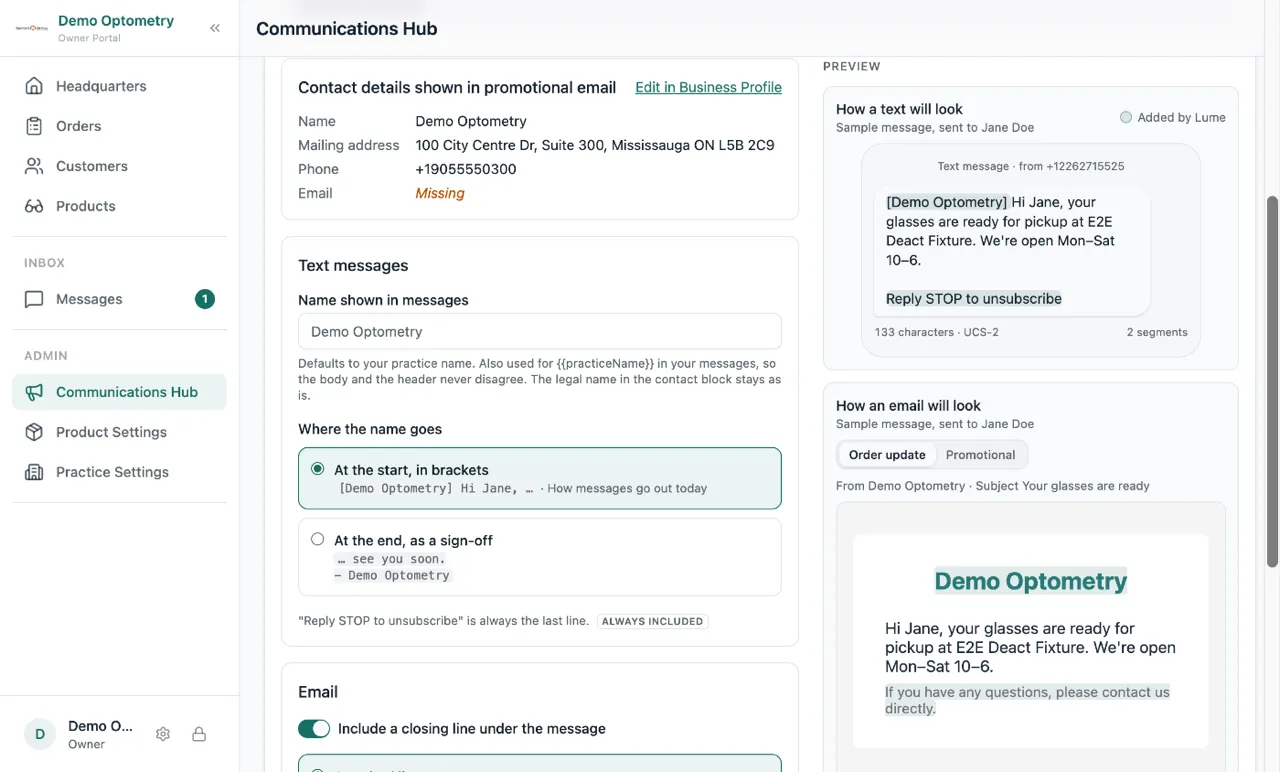
The Comms Hub has a new Message Settings tab. It shows the whole message as the customer will get it, and lets you pick the name that shows, where it goes, and what the email closing line says. The campaign editor shows the same live preview under your text as you type, with a character count for texts. There is also a plain explanation of the anti-spam rules (CASL) and what Lume does to keep you on the right side of them.
Cancelled orders no longer count as sales
If an order was sold and then cancelled, Insights still counted it in that day’s Sold. Now a cancelled order drops out of Sold, and out of every number built on it. A deposit taken on a cancelled order still shows as cash in.
What you actually collected
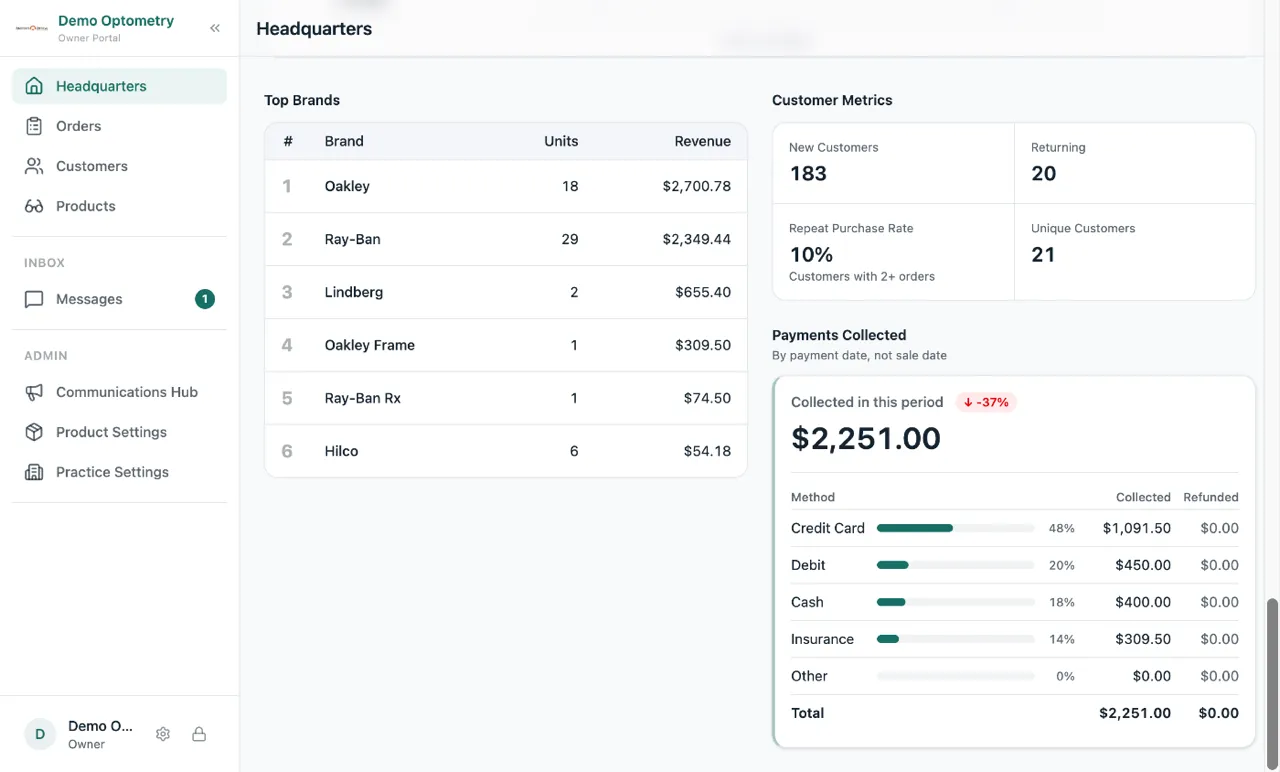
Insights used to count money by the day an order was sold. There is now a Payments Collected tile that counts money by the day it was paid, split by payment method, with refunds shown next to it. Sold tells you what you sold. Payments Collected tells you what came in the till.
Where your customers live
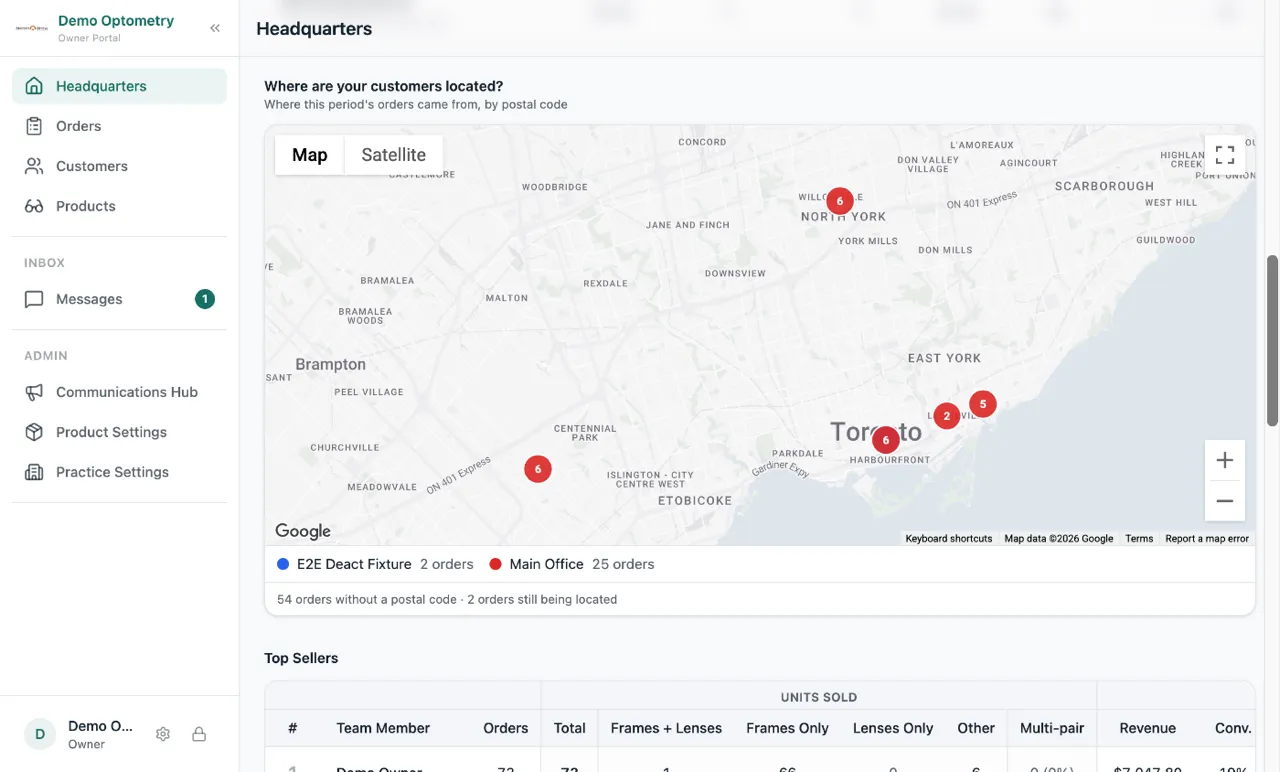
Under Location Comparison on Insights there is now a map. Each pin is a sold order, placed by the customer’s postal code, coloured by the store that sold it. Zoom in to see which neighbourhoods you are reaching and which ones you are not.
Upload a PDF prescription
Add Prescription now takes a PDF as well as a photo. Drop in the PDF the optometrist emailed and Lume fills the prescription in for you. The same works for insurance cards.
Small fixes
- The prescription chip on an order showed the day before the prescription date in some browsers. It shows the right day now.
- A confirmed order keeps the promotion that was valid on the day it was sold. Reopening it after the promo ended no longer changes the price.
- Dates on an order (sale date, payment dates, history) now show in your practice’s time zone, the same as on the printed invoice.
- When Lume cannot save an order, it tells you why, with the line and field, instead of saying it will retry.
- In Add Frame, the brand list only shows brands from the manufacturer you picked.
- Promoting a team member to manager now asks for their email, and sends them a link to set a password, so they can actually sign in.