Find orders by the day they were made, and stock a frame as you add it
You can now filter orders by the day they were created and by who created them. New frames can start with stock in each store. Every seller gets a Show all list. And each location can have a short name.
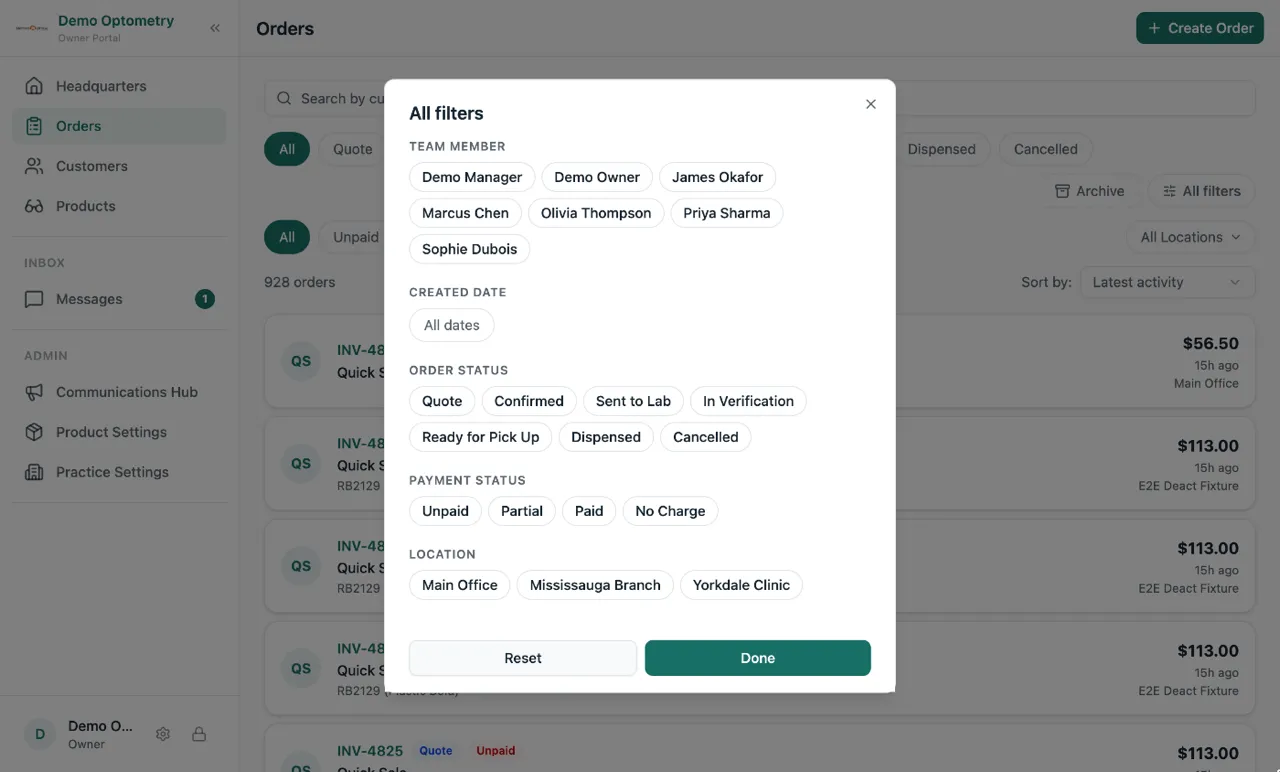
Filter orders by created date and by team member
You remember making an order on Tuesday, but you cannot remember the customer’s name. Now there is an All filters button next to the Archive switch on the Orders page. Open it and pick a date range, or pick a team member, and the list shrinks to only those orders. The other filters (status, payment, location) live in the same drawer, so everything is in one place. Reset clears them all in one tap.
Add a frame and its stock in one go
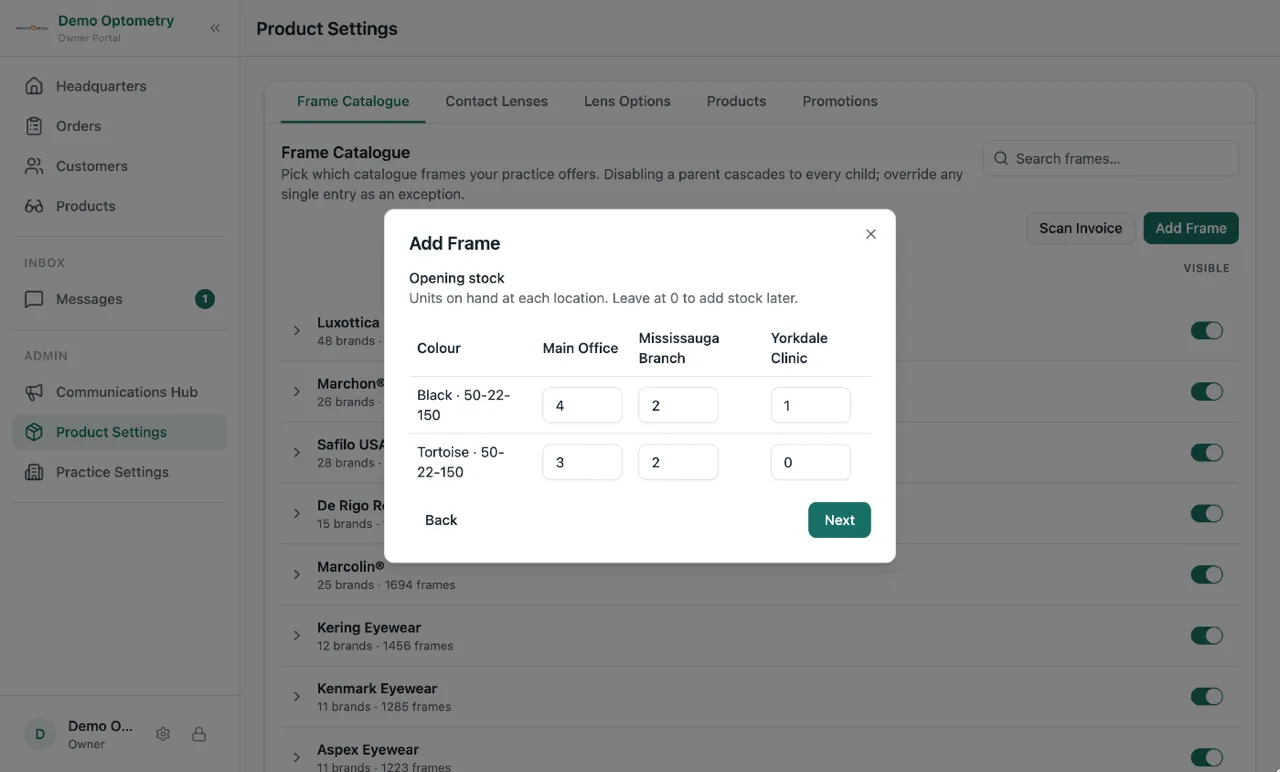
Before, adding a frame to your catalogue gave you a frame with zero stock. Then you had to open each variant and add the units. Now the Add Frame window has a Stock step. Type how many of each colour you have in each store, and the frame lands in your catalogue already counted. You can also add a frame straight from Product Settings.
See every seller, and every order behind their numbers
Top Sellers on Insights shows your top ten. If you have more people than that, there is now a Show all sellers button under it. Tap any seller’s name to open every order behind their numbers.
Give each location a short name
Your locations are named the way Google Maps knows them, like “Einstein’s Optical Inc. 1234 Main St.” That is a mouthful on a tablet. You can now give each location a short name, like “Main St” or “Downtown”, in Practice Settings. Lume shows the short name everywhere your team looks at it. Invoices and customer receipts keep the full name.
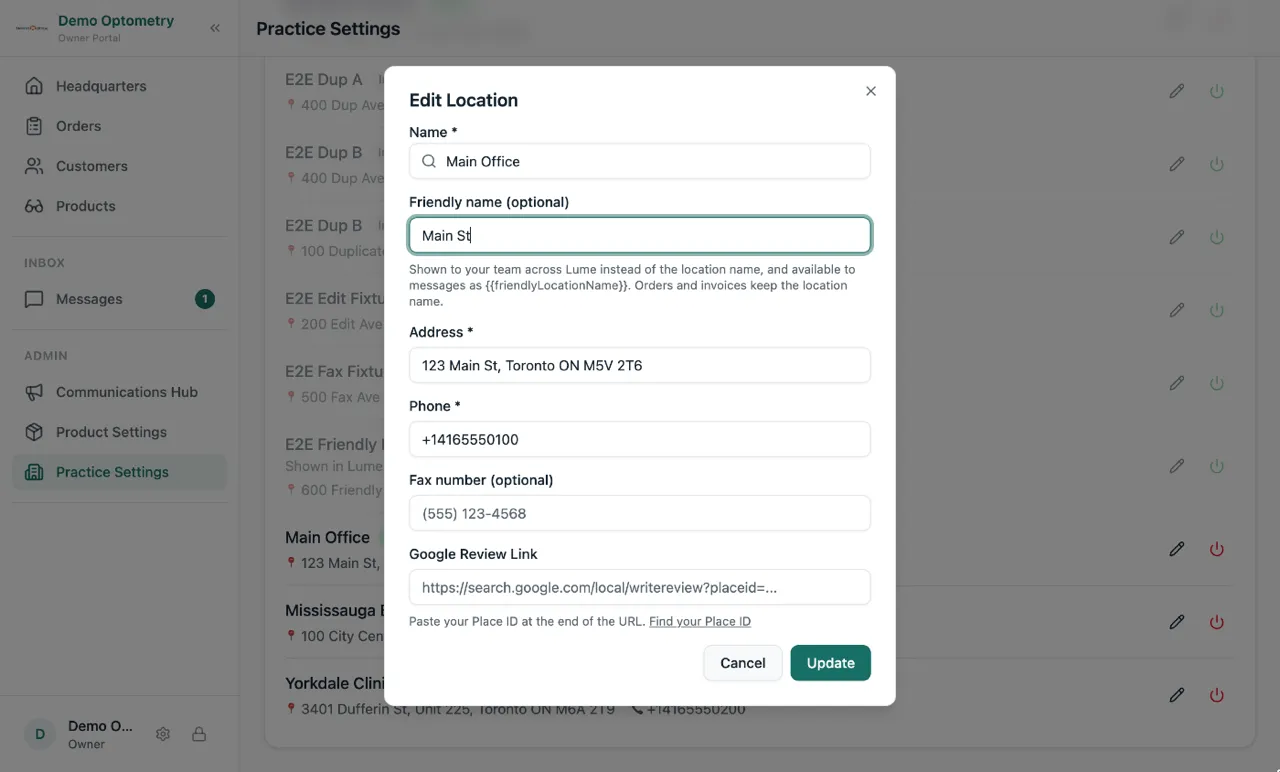
You can also put the short name and the address into your order messages. When a customer’s glasses are ready, the text can say exactly which store to come to.
The print window stays open
On some Windows laptops, clicking Print on an order popped the print window and then closed it a second later. That is fixed. Print, and it stays.